Join us at FabCon Atlanta from March 16 - 20, 2026, for the ultimate Fabric, Power BI, AI and SQL community-led event. Save $200 with code FABCOMM.
Register now!The Power BI Data Visualization World Championships is back! Get ahead of the game and start preparing now! Learn more
Hello,
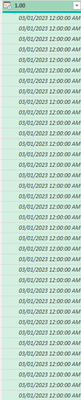
I have a column with date/time stamps where I need the time stamps to be in 30 min increments, so instead of 03/01/2023 12:00:00 AM listed over 48 times I need row two to say 03/01/2023 12:30:00, then row 3 to say 03/01/2023 01:00:00, and so on. How can I do this in Power Query? (Bonus if it's 24 hr format)
Thank you!
Solved! Go to Solution.
@LHub Add an Index column starting at 0 and then a custom column:
= Table.AddColumn(#"Added Index", "Custom", each [Column1] + #duration(0,0,30,0) * [Index])
Thank you! It was skipping every other day so I added a Modulo column up to 48 and that worked! 🎉
@LHub Is this column all by itself or in a table with other columns?
List.DateTimes( #datetime(2023, 3, 1, 0, 0, 0), 48, #duration(0,0,30,0))
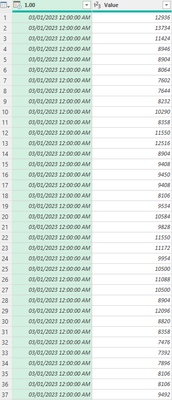
There are two columns, first is date/time stamp, second contains values associated with that date/time stamp.
@LHub Add an Index column starting at 0 and then a custom column:
= Table.AddColumn(#"Added Index", "Custom", each [Column1] + #duration(0,0,30,0) * [Index])
The Power BI Data Visualization World Championships is back! Get ahead of the game and start preparing now!
Check out the November 2025 Power BI update to learn about new features.
| User | Count |
|---|---|
| 10 | |
| 6 | |
| 5 | |
| 4 | |
| 2 |