Join us at FabCon Atlanta from March 16 - 20, 2026, for the ultimate Fabric, Power BI, AI and SQL community-led event. Save $200 with code FABCOMM.
Register now!The Power BI Data Visualization World Championships is back! Get ahead of the game and start preparing now! Learn more
Hello,
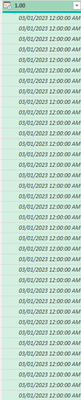
I have a column with date/time stamps where I need the time stamps to be in 30 min increments, so instead of 03/01/2023 12:00:00 AM listed over 48 times I need row two to say 03/01/2023 12:30:00, then row 3 to say 03/01/2023 01:00:00, and so on. How can I do this in Power Query? (Bonus if it's 24 hr format)
Thank you!
Solved! Go to Solution.
@LHub Add an Index column starting at 0 and then a custom column:
= Table.AddColumn(#"Added Index", "Custom", each [Column1] + #duration(0,0,30,0) * [Index])
Thank you! It was skipping every other day so I added a Modulo column up to 48 and that worked! 🎉
@LHub Is this column all by itself or in a table with other columns?
List.DateTimes( #datetime(2023, 3, 1, 0, 0, 0), 48, #duration(0,0,30,0))
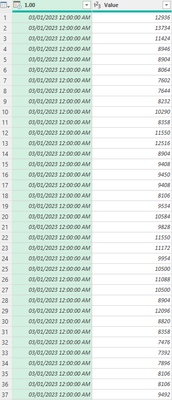
There are two columns, first is date/time stamp, second contains values associated with that date/time stamp.
@LHub Add an Index column starting at 0 and then a custom column:
= Table.AddColumn(#"Added Index", "Custom", each [Column1] + #duration(0,0,30,0) * [Index])
Check out the November 2025 Power BI update to learn about new features.
Advance your Data & AI career with 50 days of live learning, contests, hands-on challenges, study groups & certifications and more!
| User | Count |
|---|---|
| 10 | |
| 6 | |
| 5 | |
| 4 | |
| 3 |