This is best Fabric, Power BI, SQL and AI community event. How do we know? The last event sold out! Save €200 with code FABCMTY200.
Register nowJuly 28 - August 9 | Final Round of the Power BI Dataviz World Championships. This is your chance. Learn more
I have price data in a Power Bi report based off all of our part numbers. Currently, my report allows users to filter by part number via an Atribute Slicer. Is it possible for allow a user to load a table or list of part numbers and the data filters to these part numbers only. Basic version below.
Power Bi report
Part Number | Price |
| Part1 | 115 |
| Part2 | 205 |
| Part3 | 67 |
| Part4 | 25 |
| Part5 | 13 |
User Input
| Part Number |
| Part2 |
| Part5 |
Result
| Part Number | Price |
| Part2 | 205 |
| Part5 | 13 |
Solved! Go to Solution.
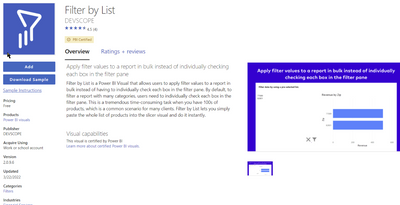
Thank you for your help. I found this filter and it works perfect.
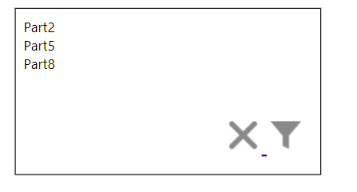
Paste in the items you want, click the filter icon, and it filters the list.
Hi @Pretengineer ,
If the filtered data type is Numeric, you can refer to this blog below to implement it by using what if parameter.
Creating User Input Variables in a Power BI Report
But it seems that the value of the field as the filter item is Text type, then please check the following visuals to see if it can achieve your needs. Please find the details in the attachment.
Best Regards
Thank you for your help. I found this filter and it works perfect.
Paste in the items you want, click the filter icon, and it filters the list.
Join us in Barcelona for FabCon and SQLCon, the Fabric, Power BI, SQL, and AI community event. Save €200 with code FABCMTY200.
If you love stickers, then you will definitely want to check out our community sticker challenge, Barcelona edition!
Check out the July 2026 Power BI update to learn about new features.
| User | Count |
|---|---|
| 2 | |
| 1 | |
| 1 | |
| 1 | |
| 1 |
| User | Count |
|---|---|
| 4 | |
| 2 | |
| 1 | |
| 1 | |
| 1 |