Get certified for free when you join Fabric Data Days 2026 and dive into Fabric, Power BI, SQL, AI, and other essential data skills.
Join nowData Days is here! Join us now for 60+ days of learning, challenges, and connection. Learn more
I am plotting a box plot using Python in Power BI. I have set the background colour of the Power BI report page to yellow and am trying to set the background colour of the python visual. I have the following code currently.
matplotlib.rc('axes', facecolor = 'red')
dataset.boxplot(column='daily_return', by='name', grid=False, figsize=(15,4))
matplotlib.pyplot.title('')
matplotlib.pyplot.suptitle('')
matplotlib.pyplot.xlabel('')
matplotlib.pyplot.show()The above code results in the following picture...
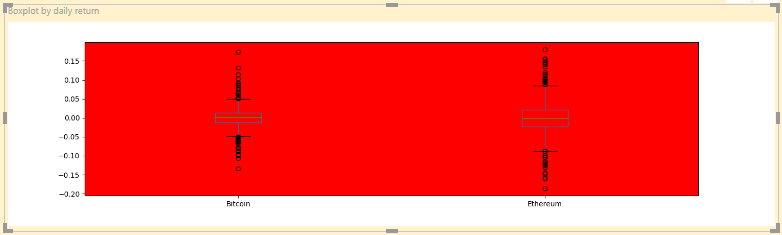
As can be seen, there is still some white space. How do I get that to be red, which I will eventually change to my Power BI background colour.
If I can make the background transparent though, that'd be best.
I even tried the following to no avail.
fig = matplotlib.pyplot.figure()
fig.patch.set_facecolor('blue')
fig.patch.set_alpha(1)Set the default matplotlib saving option to transperent like this:
import maplotlib
matplotlib.rc('savefig', transperent=True)This worked for me.
I got this answer from this https://stackoverflow.com/a/55746288/6819442
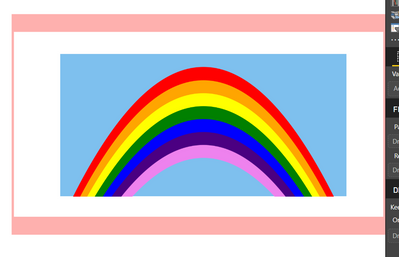
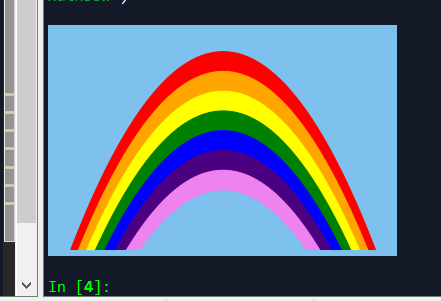
I'm having the exact same issue! I am putting together a demo for my team, and I would like to make the "sky" blue, but cannot for the life of me figure out how to turn the white boarder blue (or transparent as OP stated.)
I have tried setting the figure facecolor and edgecolor to blue:
fig1 = plt.figure(1,facecolor='#7ec0ee', edgecolor='#7ec0ee') <- This did nothing
ax = fig1.add_subplot(1,1,1)
ax.set_facecolor('#7ec0ee') <- this worked
These seem to work in Spyder, but when I put the visual into Power BI the white boarder appears.
Don't miss out on Data Days, June 15 through August 7. Learn Fabric, Power BI, SQL, AI and more.
Check out the May 2026 Power BI update to learn about new features.
| User | Count |
|---|---|
| 2 | |
| 2 | |
| 1 | |
| 1 | |
| 1 |