We've captured the moments from FabCon & SQLCon that everyone is talking about, and we are bringing them to the community, live and on-demand. Starts on April 14th. Register now
Hi All,
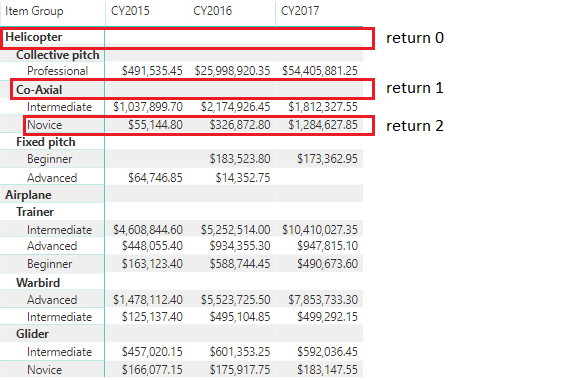
Considering a report that has a Power BI Matrix Visual, would it be possible to develop a Custom Visual that would know which level in the hierarchy was selected by the user? Or can I only do it by checking the highlighted values?
Thanks in advance for any feedback you could provide me.
@Anonymous - Yes, see my MM3TR&R - https://community.powerbi.com/t5/Quick-Measures-Gallery/Matrix-Measure-Total-Triple-Threat-Rock-amp-Roll/m-p/411443#M150
Also, ISINSCOPE is useful for this.
Thank you for the input.
I tried the ISINSCOPE function, but it doesn't work that well when you want to switch the legend of a clustered column chart.
I was planning to develop a new visual using d3/typescript, but then I don't know how to get the selected hierarchy level of the matrix.
If you have recently started exploring Fabric, we'd love to hear how it's going. Your feedback can help with product improvements.
A new Power BI DataViz World Championship is coming this June! Don't miss out on submitting your entry.
Share feedback directly with Fabric product managers, participate in targeted research studies and influence the Fabric roadmap.
| User | Count |
|---|---|
| 1 | |
| 1 | |
| 1 | |
| 1 | |
| 1 |
| User | Count |
|---|---|
| 4 | |
| 2 | |
| 2 | |
| 2 | |
| 2 |