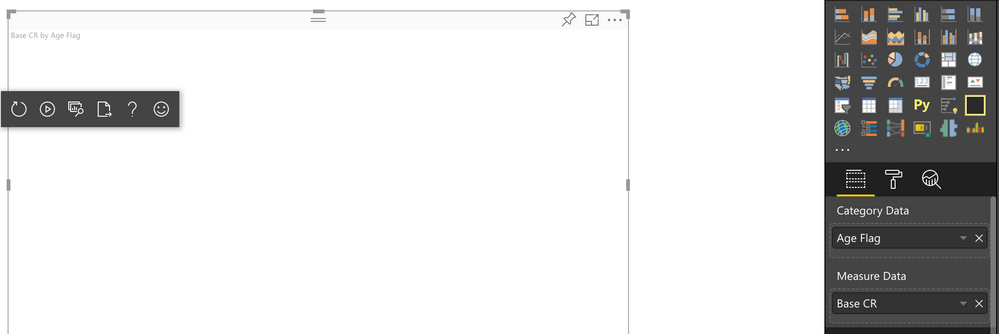
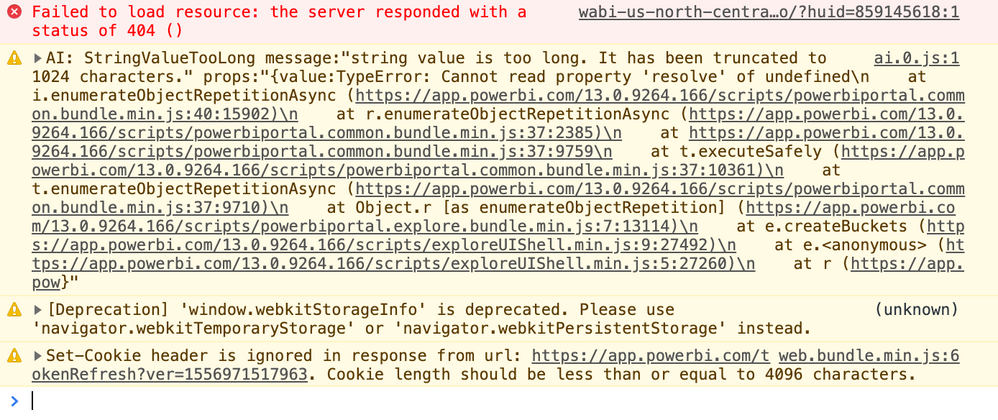
I've installed everything for creating custom visuals, as the "Update: X" visual displays properly. However, when trying to display a visual with static data, the visual is blank. I have added values to both Category & Measure field wells.
The code I'm using is the static bar chart: https://github.com/Microsoft/PowerBI-visuals-sampleBarChart/blob/master/Tutorial/StaticVisual.md
Code:
/*
 *  Power BI Visual CLI
 *
 *  Copyright (c) Microsoft Corporation
 *  All rights reserved.
 *  MIT License
 *
 *  Permission is hereby granted, free of charge, to any person obtaining a copy
 *  of this software and associated documentation files (the ""Software""), to deal
 *  in the Software without restriction, including without limitation the rights
 *  to use, copy, modify, merge, publish, distribute, sublicense, and/or sell
 *  copies of the Software, and to permit persons to whom the Software is
 *  furnished to do so, subject to the following conditions:
 *
 *  The above copyright notice and this permission notice shall be included in
 *  all copies or substantial portions of the Software.
 *
 *  THE SOFTWARE IS PROVIDED *AS IS*, WITHOUT WARRANTY OF ANY KIND, EXPRESS OR
 *  IMPLIED, INCLUDING BUT NOT LIMITED TO THE WARRANTIES OF MERCHANTABILITY,
 *  FITNESS FOR A PARTICULAR PURPOSE AND NONINFRINGEMENT. IN NO EVENT SHALL THE
 *  AUTHORS OR COPYRIGHT HOLDERS BE LIABLE FOR ANY CLAIM, DAMAGES OR OTHER
 *  LIABILITY, WHETHER IN AN ACTION OF CONTRACT, TORT OR OTHERWISE, ARISING FROM,
 *  OUT OF OR IN CONNECTION WITH THE SOFTWARE OR THE USE OR OTHER DEALINGS IN
 *  THE SOFTWARE.
 */

module powerbi.extensibility.visual {

    interface dataPoint {
        category: string;
        value: number;
    }

    interface ViewModel {
        dataPoints: dataPoint[];
        maxValue: number;
    };

    "use strict";
    export class Visual implements IVisual {
        private host: IVisualHost;
        private svg: d3.Selection<SVGElement>;
        private barGroup: d3.Selection<SVGElement>;
        private xPadding: number = 0.1;


        constructor(options: VisualConstructorOptions) {
                this.host = options.host;
                this.svg = d3.select(options.element)
                    .append("svg")
                    .classed("barchart", true);
                this.barGroup = this.svg
                .append("g")
                .classed("barGroup", true);


        }

        public update(options: VisualUpdateOptions) {
            let sample: dataPoint[] = [
                {category: 'apples', value: 5},
                {category: 'bananas', value: 10},
                {category: 'oranges', value: 15}
            ];

            let viewModel: ViewModel = {
                dataPoints: sample,
                maxValue: d3.max(sample, x => x.value)
            };

            let width = options.viewport.width;
            let height = options.viewport.height;

            this.svg.attr({
                width: width,
                height: height
            });

            let yScale = d3.scale.linear().domain([0, viewModel.maxValue]).range([height, 0]);
            let xScale = d3.scale.ordinal().domain(viewModel.dataPoints.map(d => d.category)).rangeRoundBands([0,width], this.xPadding);

            let bars = this.barGroup
                .selectAll(".bar")
                .data(viewModel.dataPoints);

            bars.enter()
                .append("rect")
                .classed("bar", true);

            bars.attr({
                width: xScale.rangeBand(),
                height: d => height - yScale(d.value),
                y: d => yScale(d.value),
                x: d => xScale(d.category)
            });

            bars.exit()
                .remove();

        };

 /**
        private static parseSettings(dataView: DataView): VisualSettings {
            return VisualSettings.parse(dataView) as VisualSettings;
        }


         * This function gets called for each of the objects defined in the capabilities files and allows you to select which of the
         * objects and properties you want to expose to the users in the property pane.
         *

        public enumerateObjectInstances(options: EnumerateVisualObjectInstancesOptions): VisualObjectInstance[] | VisualObjectInstanceEnumerationObject {
            return VisualSettings.enumerateObjectInstances(this.settings || VisualSettings.getDefault(), options);
        }
         */
    }
}


