Don't miss your chance to take the Fabric Data Engineer (DP-600) exam for FREE! Find out how by attending the DP-600 session on April 23rd (pacific time), live or on-demand.
Learn moreNext up in the FabCon + SQLCon recap series: The roadmap for Microsoft SQL and Maximizing Developer experiences in Fabric. All sessions are available on-demand after the live show. Register now
Hi,
We have a requirement to filter data based on two column values.
contat | Trade | source | Corporate | Salesperson |
123 | $ 100 | SMS | Y | Y |
242 | $ 200 | ETF | N | Y |
123 | $ 300 | PPM | N | Y |
456 | $ 400 | DATABREAK | Y | N |
789 | $ 500 | SMS | Y | Y |
234 | $ 600 | ETF | N | Y |
457 | $ 700 | PPM | N | Y |
678 | $ 800 | DATABREAK | Y | N |
Create a formula or parameter with Corporate and Salesperson names. When Corporate is selected, report should display all the “Y” values from the Corporate column and if “Salesperson” is selected all the “Y” values from Salesperson column should display.
report should use single slicer /parameter to filter the data.
Solved! Go to Solution.
it would probably make sense to calculate a new table to handle this. The table will have two columns, Corporate and SalesPerson :
Slicer Table =
UNION (
SELECTCOLUMNS (
FILTER( 'Table' , 'Table'[Corporate] <> BLANK() ) ,
"Source" , 'Table'[Source] ,
"Selection" , 'Table'[Corporate]
),
SELECTCOLUMNS (
FILTER ( 'Table' , 'Table'[Salesperson] <> BLANK() ) ,
"Source" , 'Table'[Source] ,
"Selection" , 'Table'[SalesPerson]
)
)
After this has been calculated, create a relationship between these tables, between the Source columns. Since this is purely for filtering the table on the person of interest, make it be Many-to-Many and have Slicer Table filter Table:
Create a slicer with the Selection column from the Slicer Table and test the functionality:
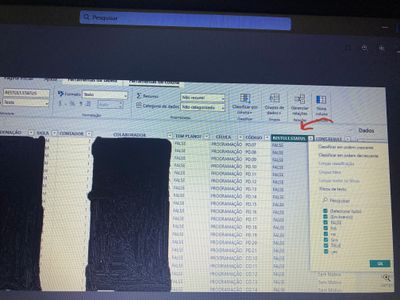
Good afternoon! I need to know the total amount I have of "Yes, "TRUE", "yes" in the RESTULT column. STATUS. For this, you need to filter the column, how? After that I need to use a measure to know the amount I have of "Yes, "TRUE", "yes".
Hi,
If you wish to count the Yes/true in the Result column, then write this measure
Measure = calculate(countrows(Data),Data[Result]="Yes"||Data[Result]="true")
My assumption is that true is text true (not a boolean true).
Hope this helps.
it would probably make sense to calculate a new table to handle this. The table will have two columns, Corporate and SalesPerson :
Slicer Table =
UNION (
SELECTCOLUMNS (
FILTER( 'Table' , 'Table'[Corporate] <> BLANK() ) ,
"Source" , 'Table'[Source] ,
"Selection" , 'Table'[Corporate]
),
SELECTCOLUMNS (
FILTER ( 'Table' , 'Table'[Salesperson] <> BLANK() ) ,
"Source" , 'Table'[Source] ,
"Selection" , 'Table'[SalesPerson]
)
)
After this has been calculated, create a relationship between these tables, between the Source columns. Since this is purely for filtering the table on the person of interest, make it be Many-to-Many and have Slicer Table filter Table:
Create a slicer with the Selection column from the Slicer Table and test the functionality:
Based on problem description it seems like Adding two slicers with these two column should solve the purpose. Am I missing something?
Thanks,
alekh
If you have recently started exploring Fabric, we'd love to hear how it's going. Your feedback can help with product improvements.
A new Power BI DataViz World Championship is coming this June! Don't miss out on submitting your entry.
Share feedback directly with Fabric product managers, participate in targeted research studies and influence the Fabric roadmap.
| User | Count |
|---|---|
| 48 | |
| 45 | |
| 41 | |
| 20 | |
| 17 |
| User | Count |
|---|---|
| 69 | |
| 64 | |
| 32 | |
| 31 | |
| 27 |