Don't miss your chance to take the Fabric Data Engineer (DP-600) exam for FREE! Find out how by watching the DP-600 session on-demand now through April 28th.
Learn moreJoin the FabCon + SQLCon recap series. Up next: Power BI, Real-Time Intelligence, IQ and AI, and Data Factory take center stage. All sessions are available on-demand after the live show. Register now
Hi,
I want to display the data in the following way: -
1. Each day of the week gives me the summary for the week.
Let's take Monday. I have a measure and Time Hierarchy (Year, Months, Days). Now, is it possible to have the data only displayed for Jan 2, Jan 9, Jan 16, Jan 23 and so on without manually choosing the those days in the filter? I mean every time the data is refreshed in the cube I should be able to see only the data for every monday automatically updated. (Assume gateway is setup and working fine)
So if I open the report in march, it should have the data for every monday starting Jan 2 without me choosing those days in the filter.
Is it possible?
Solved! Go to Solution.
Hi @Anonymous,
There are 2 common approaches that you could try:
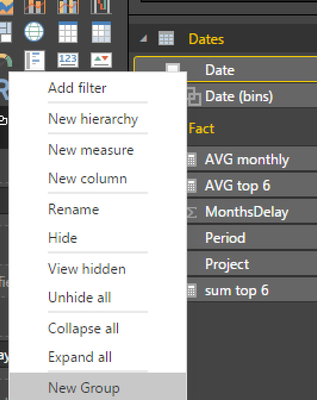
right click in your date column and choose new group
choose duration 7 days
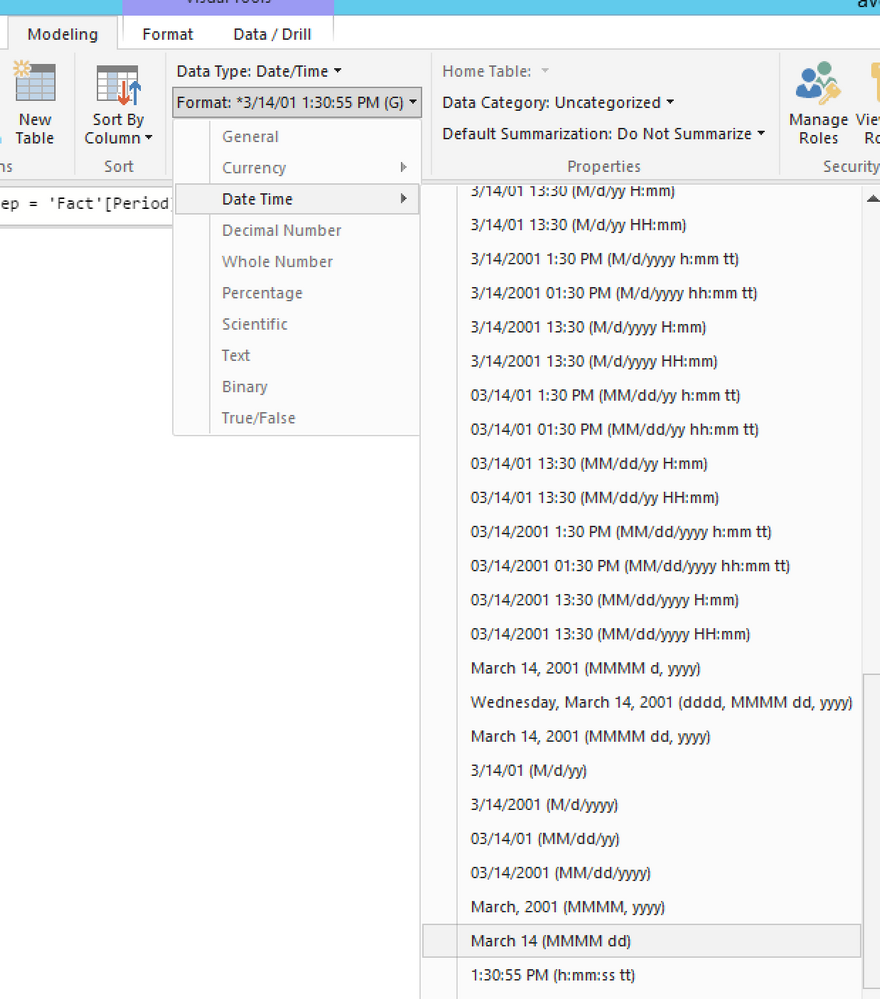
Weeks Rep = 'Fact'[DateColumn]- WEEKDAY('Fact'[DateColumn]-2)please change this column format in Formatting tab of Modeling tab to what format you want
Hi @Anonymous,
There are 2 common approaches that you could try:
right click in your date column and choose new group
choose duration 7 days
Weeks Rep = 'Fact'[DateColumn]- WEEKDAY('Fact'[DateColumn]-2)please change this column format in Formatting tab of Modeling tab to what format you want
Can we do the same on Live Connection?
Check out the April 2026 Power BI update to learn about new features.
If you have recently started exploring Fabric, we'd love to hear how it's going. Your feedback can help with product improvements.
A new Power BI DataViz World Championship is coming this June! Don't miss out on submitting your entry.
| User | Count |
|---|---|
| 43 | |
| 38 | |
| 34 | |
| 20 | |
| 16 |
| User | Count |
|---|---|
| 65 | |
| 65 | |
| 30 | |
| 26 | |
| 25 |