Get certified for free when you join Fabric Data Days 2026 and dive into Fabric, Power BI, SQL, AI, and other essential data skills.
Join nowJuly 28 - August 9 | Final Round of the Power BI Dataviz World Championships. This is your chance. Learn more
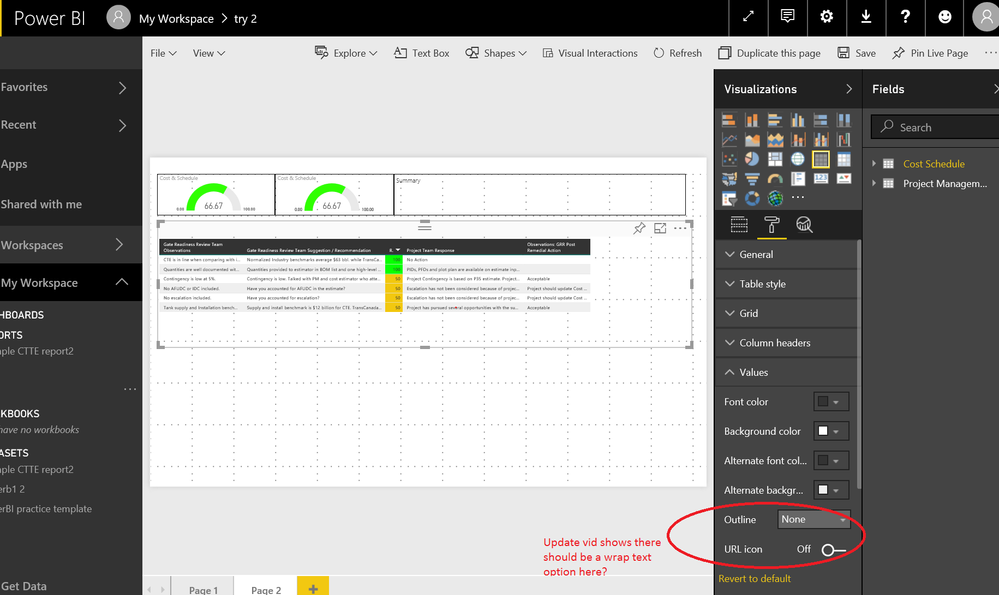
Hello, In the may 2017 update of power bi desktop it said you can now wrap text under the "values" option of the table. However, mine is not showing and I just downloaded it this morning. See picture below.
Solved! Go to Solution.
Hi @npoleschuk,
Based on my research, table preview supports word wrap for values while table visual doesn't. See: New table visual (preview).
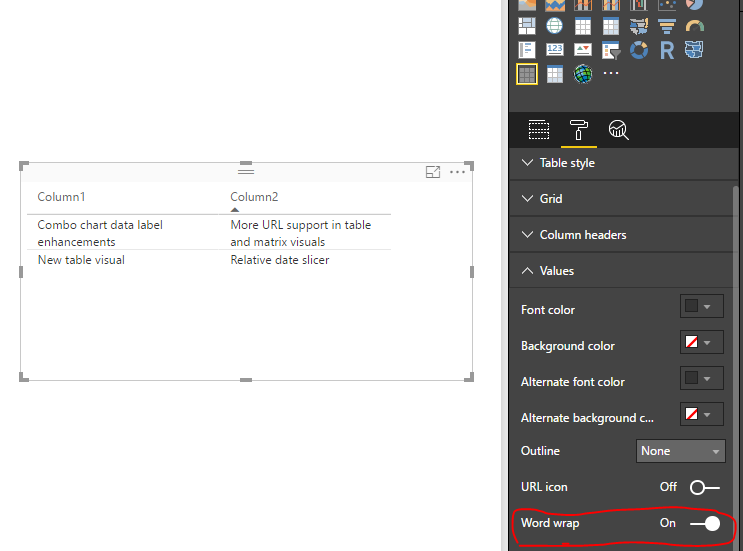
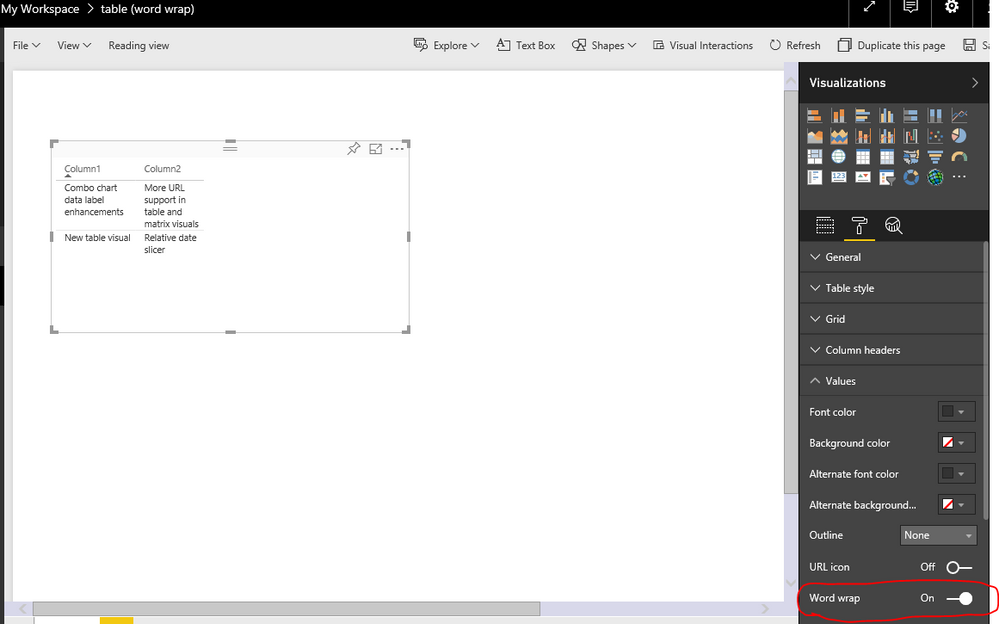
In your scenario, please enable table preview feature in Power BI desktop version 2.46.4732.721 64-bit (May 2017), then create a table preview visual, enable Word Wrap under Values option. Publish the report to service, the table preview also have Word Wrap feature.
Best Regards,
Qiuyun Yu
Hi @npoleschuk,
Based on my research, table preview supports word wrap for values while table visual doesn't. See: New table visual (preview).
In your scenario, please enable table preview feature in Power BI desktop version 2.46.4732.721 64-bit (May 2017), then create a table preview visual, enable Word Wrap under Values option. Publish the report to service, the table preview also have Word Wrap feature.
Best Regards,
Qiuyun Yu
Join us in Barcelona for FabCon and SQLCon, the Fabric, Power BI, SQL, and AI community event. Save €200 with code FABCMTY200.
If you love stickers, then you will definitely want to check out our community sticker challenge, Barcelona edition!
Check out the July 2026 Power BI update to learn about new features.
| User | Count |
|---|---|
| 25 | |
| 23 | |
| 23 | |
| 17 | |
| 14 |
| User | Count |
|---|---|
| 25 | |
| 24 | |
| 20 | |
| 20 | |
| 19 |