Join us at FabCon Atlanta from March 16 - 20, 2026, for the ultimate Fabric, Power BI, AI and SQL community-led event. Save $200 with code FABCOMM.
Register now!Learn from the best! Meet the four finalists headed to the FINALS of the Power BI Dataviz World Championships! Register now
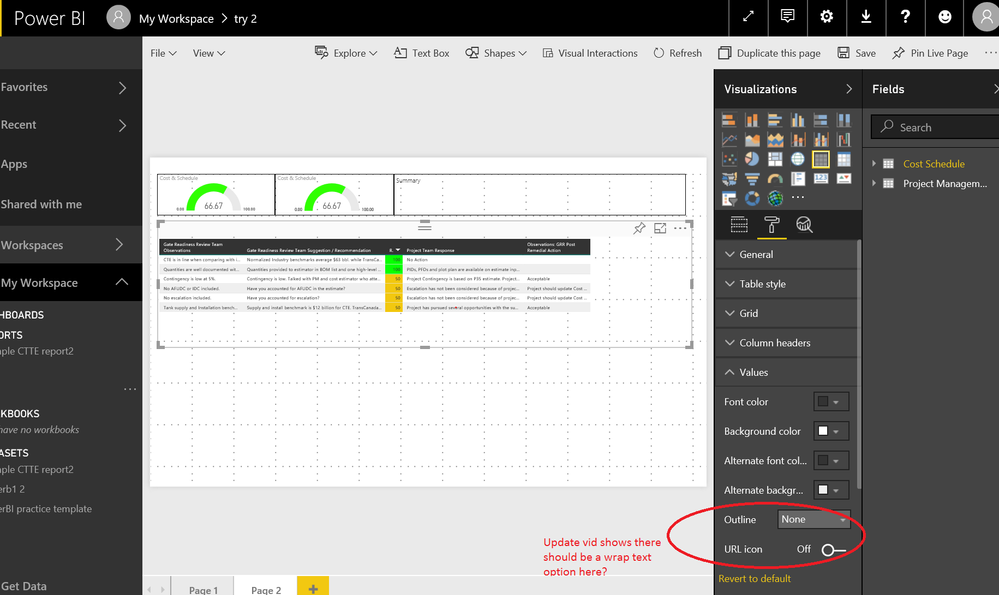
Hello, In the may 2017 update of power bi desktop it said you can now wrap text under the "values" option of the table. However, mine is not showing and I just downloaded it this morning. See picture below.
Solved! Go to Solution.
Hi @npoleschuk,
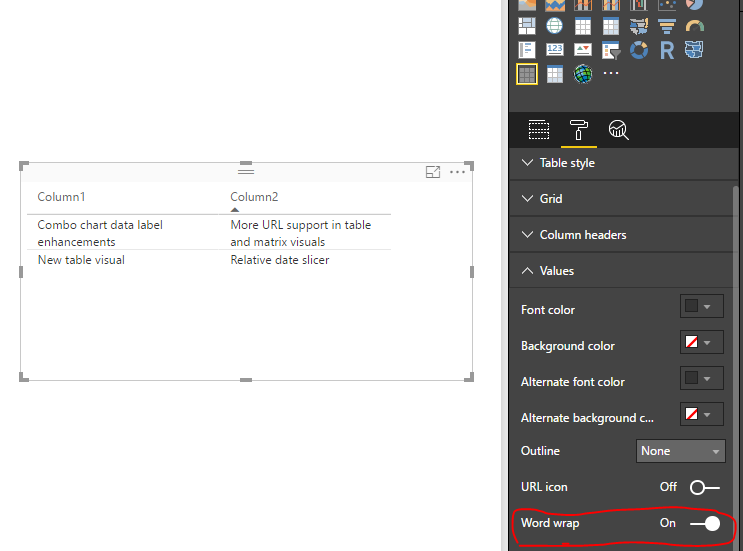
Based on my research, table preview supports word wrap for values while table visual doesn't. See: New table visual (preview).
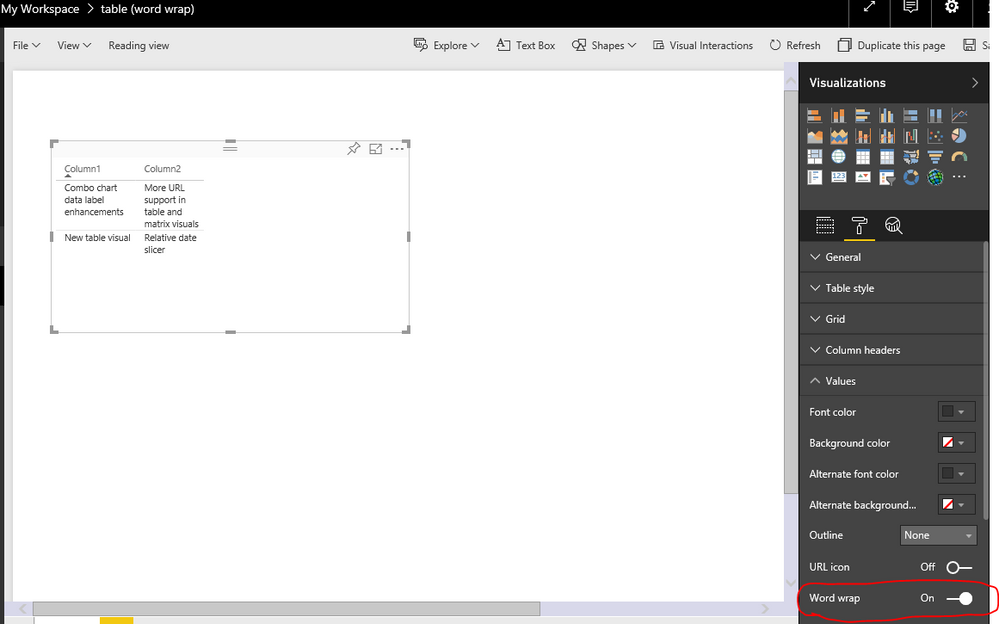
In your scenario, please enable table preview feature in Power BI desktop version 2.46.4732.721 64-bit (May 2017), then create a table preview visual, enable Word Wrap under Values option. Publish the report to service, the table preview also have Word Wrap feature.
Best Regards,
Qiuyun Yu
Hi @npoleschuk,
Based on my research, table preview supports word wrap for values while table visual doesn't. See: New table visual (preview).
In your scenario, please enable table preview feature in Power BI desktop version 2.46.4732.721 64-bit (May 2017), then create a table preview visual, enable Word Wrap under Values option. Publish the report to service, the table preview also have Word Wrap feature.
Best Regards,
Qiuyun Yu
Share feedback directly with Fabric product managers, participate in targeted research studies and influence the Fabric roadmap.
Check out the February 2026 Power BI update to learn about new features.
| User | Count |
|---|---|
| 63 | |
| 55 | |
| 41 | |
| 16 | |
| 14 |
| User | Count |
|---|---|
| 97 | |
| 80 | |
| 35 | |
| 29 | |
| 25 |