Join us at FabCon Atlanta from March 16 - 20, 2026, for the ultimate Fabric, Power BI, AI and SQL community-led event. Save $200 with code FABCOMM.
Register now!The Power BI Data Visualization World Championships is back! Get ahead of the game and start preparing now! Learn more
Hello
I have a filter in my report that filters all visuals by the filtered department/s.
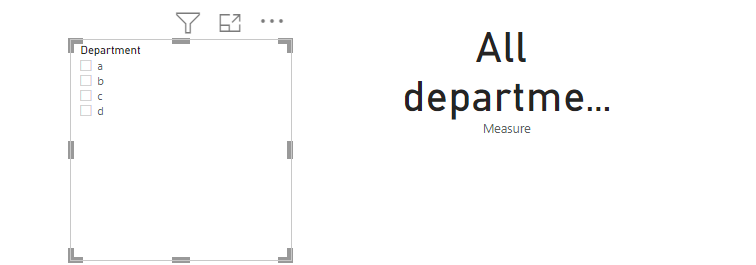
I would like to insert a card or text box to my report showing which department the page is filtered. I need help in creating the card/text box where:
Solved! Go to Solution.
you can try this
Measure =
VAR tbl=distinct('Table'[Department])
return if(COUNTROWS(tbl)=CALCULATE(DISTINCTCOUNT('Table'[Department]),ALL('Table')),"All department", if(COUNTROWS(tbl)>1,"multiple departments",max('Table'[Department])))
Proud to be a Super User!
is this what you want?
Measure =
VAR tbl=distinct('Table'[Department])
return if(COUNTROWS(tbl)=CALCULATE(DISTINCTCOUNT('Table'[Department]),ALL('Table')),"All department", CONCATENATEX(tbl,'Table'[Department],";"))
pls see the attachment below
Proud to be a Super User!
Thank you! This fixes most of what I am after. However; if more than one department is selected (but not the entire list), I don't want to list them all but rather just mention "multiple departments". Is this possible?
you can try this
Measure =
VAR tbl=distinct('Table'[Department])
return if(COUNTROWS(tbl)=CALCULATE(DISTINCTCOUNT('Table'[Department]),ALL('Table')),"All department", if(COUNTROWS(tbl)>1,"multiple departments",max('Table'[Department])))
Proud to be a Super User!
Check out the November 2025 Power BI update to learn about new features.
Advance your Data & AI career with 50 days of live learning, contests, hands-on challenges, study groups & certifications and more!
| User | Count |
|---|---|
| 58 | |
| 45 | |
| 42 | |
| 20 | |
| 18 |
| User | Count |
|---|---|
| 171 | |
| 110 | |
| 91 | |
| 55 | |
| 45 |