Don't miss your chance to take the Fabric Data Engineer (DP-600) exam for FREE! Find out how by attending the DP-600 session on April 23rd (pacific time), live or on-demand.
Learn moreNext up in the FabCon + SQLCon recap series: The roadmap for Microsoft SQL and Maximizing Developer experiences in Fabric. All sessions are available on-demand after the live show. Register now
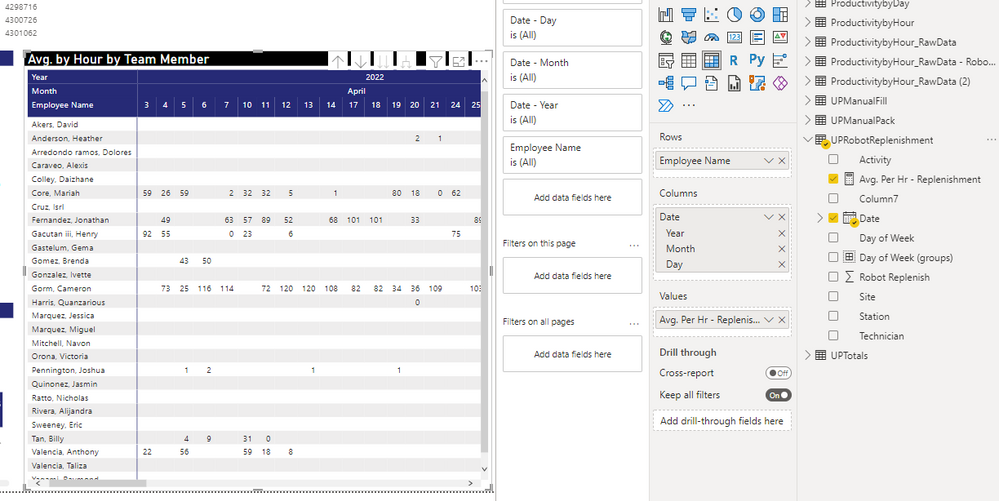
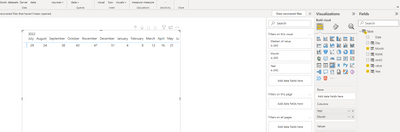
I have a matrix visual where I have the date in the columns. Is there a way I can sort descending so I have the most recent dates on the left vs. having to scroll (July should show on left first). I tried to go to the data tab and use the "Sort by" but the visual does not change. Any help is appreciated. See picture.
Solved! Go to Solution.
Hi @jcastr02 ,
Pls refer the following sample I provided:
Did I answer your question? Mark my post as a solution!
Best Regards
Lucien
Hi @jcastr02 ,
Pls refer the following sample I provided:
Did I answer your question? Mark my post as a solution!
Best Regards
Lucien
@jcastr02 , For that you have create a column with Desc Sort
Date1 = [Date]
Date sort = rankx('Date',[Date],,desc,dense)
Mark Rank Sort as Sort column of Date1 and use date 1 in visual
How to Create Sort Column and Solve Related Errors:
https://www.youtube.com/watch?v=KK1zu4MBb-c
Hello @amitchandak I created a copy of the date column (Date1). I then created a calculated column for
If you have recently started exploring Fabric, we'd love to hear how it's going. Your feedback can help with product improvements.
A new Power BI DataViz World Championship is coming this June! Don't miss out on submitting your entry.
| User | Count |
|---|---|
| 46 | |
| 43 | |
| 39 | |
| 19 | |
| 15 |
| User | Count |
|---|---|
| 68 | |
| 65 | |
| 31 | |
| 28 | |
| 24 |