Share feedback directly with Fabric product managers, participate in targeted research studies and influence the Fabric roadmap.
Sign up nowGet Fabric certified for FREE! Don't miss your chance! Learn more
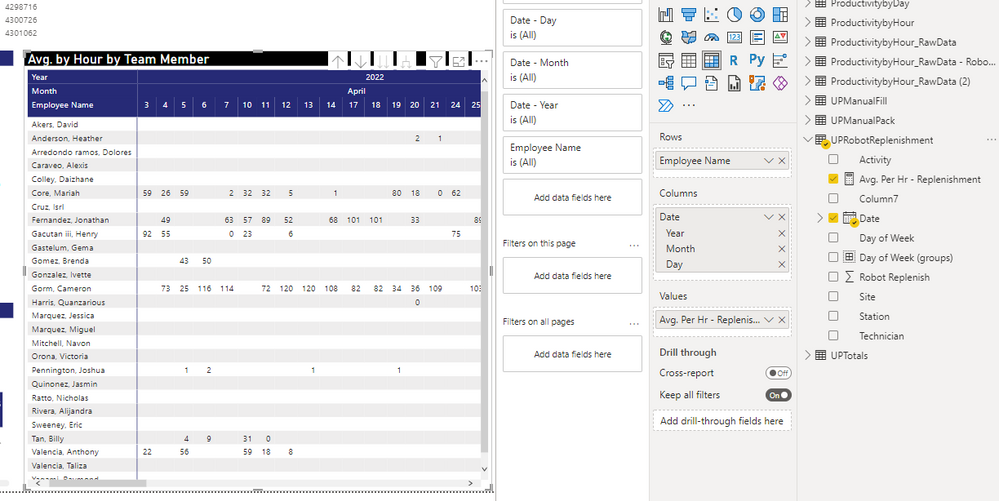
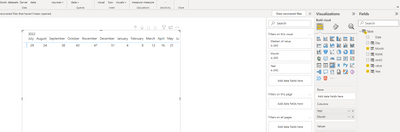
I have a matrix visual where I have the date in the columns. Is there a way I can sort descending so I have the most recent dates on the left vs. having to scroll (July should show on left first). I tried to go to the data tab and use the "Sort by" but the visual does not change. Any help is appreciated. See picture.
Solved! Go to Solution.
Hi @jcastr02 ,
Pls refer the following sample I provided:
Did I answer your question? Mark my post as a solution!
Best Regards
Lucien
Hi @jcastr02 ,
Pls refer the following sample I provided:
Did I answer your question? Mark my post as a solution!
Best Regards
Lucien
@jcastr02 , For that you have create a column with Desc Sort
Date1 = [Date]
Date sort = rankx('Date',[Date],,desc,dense)
Mark Rank Sort as Sort column of Date1 and use date 1 in visual
How to Create Sort Column and Solve Related Errors:
https://www.youtube.com/watch?v=KK1zu4MBb-c
Hello @amitchandak I created a copy of the date column (Date1). I then created a calculated column for
If you love stickers, then you will definitely want to check out our Community Sticker Challenge!
Check out the January 2026 Power BI update to learn about new features.
| User | Count |
|---|---|
| 61 | |
| 58 | |
| 45 | |
| 21 | |
| 18 |
| User | Count |
|---|---|
| 120 | |
| 117 | |
| 37 | |
| 35 | |
| 30 |