cancel
Showing results for 
Search instead for 
Did you mean: 

Learn from the best! Meet the four finalists headed to the FINALS of the Power BI Dataviz World Championships! Register now

Reply
Ejykso
Helper I
Helper I

Sort Column

Hi Guys,

I'll appreciate it if someone can help me with this. 
I created a new column on my table with a switch function that shows 0-7 days, 7-14 days etc for when days old < 7, < 14 etc. 
The issue is that my report matrix is not sorting this appropriately as 7-14 days comes first before 0-7 days. 
I created another column which I called order to see if I can have integers in this column and then sort by this column. 
The Dax I used is this:

SWITCH(
              TRUE(),
            Data[Total Days] = "0-7Days", "1",
            Data[Total Days] = "7-14Days" ,"2",
            Data[Total Days] = "14-21 Days","3"
            Data[Total Days] = "21 Days+", 4)
But only the 21 days rows are showing 4. Others are blank. 
What am I doing wrong?


1 ACCEPTED SOLUTION

Thanks. The conditional column solved this for me 

View solution in original post

5 REPLIES 5
Padycosmos
Solution Sage
Solution Sage

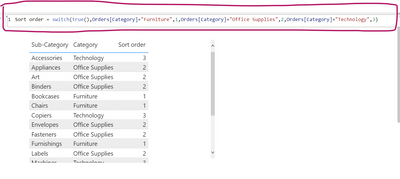
Switch() works for me without double quotes for 1,2,3,....

Padycosmos_1-1674069621961.png


Padycosmos
Solution Sage
Solution Sage

You can add a conditional column in Power query as shown below. hope this helps

Padycosmos_0-1674068756074.png


Thanks. The conditional column solved this for me 

TomasAndersson
Solution Sage
Solution Sage

Hi!
Right now your 4 is written as a number while the other numbers are strings due to the "" around them (e.g. "3"). If you change it so it says 1, 2, 3 and 4 instead of "1", "2", "3" and 4 you should be able to see all as numbers and be able to sort by that column.

I actually omitted the string in the "4" here as a mistake as they all appear as strings. Even when I removed the strings in all the numbers, only 4 still appears. 

Helpful resources

Announcements
Power BI DataViz World Championships carousel

Power BI DataViz World Championships - June 2026

A new Power BI DataViz World Championship is coming this June! Don't miss out on submitting your entry.

Join our Fabric User Panel

Join our Fabric User Panel

Share feedback directly with Fabric product managers, participate in targeted research studies and influence the Fabric roadmap.

March Power BI Update Carousel

Power BI Community Update - March 2026

Check out the March 2026 Power BI update to learn about new features.