Get certified for free when you join Fabric Data Days 2026 and dive into Fabric, Power BI, SQL, AI, and other essential data skills.
Join nowJuly 7 - July 17 | Round 2 of the Power BI Dataviz World Championships. Don't miss your chance! Learn more
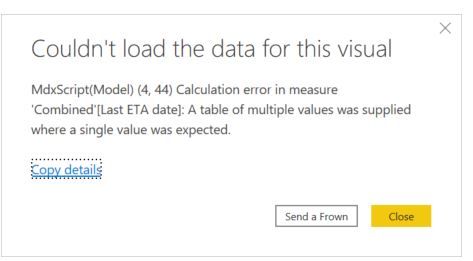
I have tried to retrieve the ETA date independently when the inserted date is the earliest and when it is the latest, then calculate the variation in days.
When I use the following formula:
Solved! Go to Solution.
Hi @MarioCadena ,
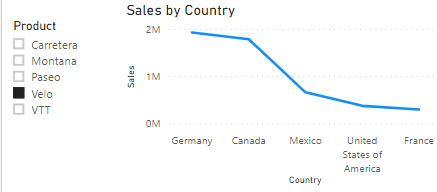
You could edit interaction in Format.
https://docs.microsoft.com/en-us/power-bi/create-reports/service-reports-visual-interactions
@MarioCadena , you can not use values there
CALCULATE(Max(Combined[ETA Date]),FILTER(ALL(Combined[DW_InsertedDateTime]),Combined[DW_InsertedDateTime]=max(Combined[DW_InsertedDateTime])))
or
CALCULATE(max(Combined[ETA Date]),FILTER(ALL(Combined[DW_InsertedDateTime]),Combined[DW_InsertedDateTime]=max(Combined[DW_InsertedDateTime])),values(Combined[ETA Date]))
It worked, thank you.
Also, could you tell me how to change it; so, the calculation is not affected by filters?
Regards,
Mario
Hi @MarioCadena ,
You could edit interaction in Format.
https://docs.microsoft.com/en-us/power-bi/create-reports/service-reports-visual-interactions
Join us in Barcelona for FabCon and SQLCon, the Fabric, Power BI, SQL, and AI community event. Save €200 with code FABCMTY200.
Join Fabric Data Days 2026: 60 days of free live/on-demand sessions, challenges, study groups, and certification opportunities.
| User | Count |
|---|---|
| 22 | |
| 22 | |
| 18 | |
| 17 | |
| 13 |
| User | Count |
|---|---|
| 61 | |
| 52 | |
| 47 | |
| 41 | |
| 38 |