Get certified for free when you join Fabric Data Days 2026 and dive into Fabric, Power BI, SQL, AI, and other essential data skills.
Join nowTry your skills in the Power BI Dataviz World Championship! Round one ends June 26. Join now
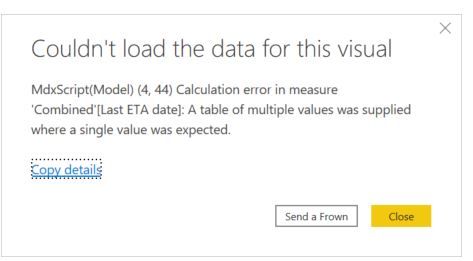
I have tried to retrieve the ETA date independently when the inserted date is the earliest and when it is the latest, then calculate the variation in days.
When I use the following formula:
Solved! Go to Solution.
Hi @MarioCadena ,
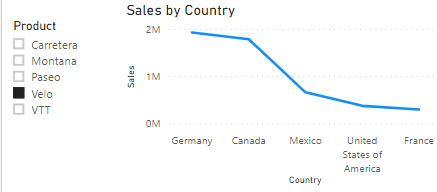
You could edit interaction in Format.
https://docs.microsoft.com/en-us/power-bi/create-reports/service-reports-visual-interactions
@MarioCadena , you can not use values there
CALCULATE(Max(Combined[ETA Date]),FILTER(ALL(Combined[DW_InsertedDateTime]),Combined[DW_InsertedDateTime]=max(Combined[DW_InsertedDateTime])))
or
CALCULATE(max(Combined[ETA Date]),FILTER(ALL(Combined[DW_InsertedDateTime]),Combined[DW_InsertedDateTime]=max(Combined[DW_InsertedDateTime])),values(Combined[ETA Date]))
It worked, thank you.
Also, could you tell me how to change it; so, the calculation is not affected by filters?
Regards,
Mario
Hi @MarioCadena ,
You could edit interaction in Format.
https://docs.microsoft.com/en-us/power-bi/create-reports/service-reports-visual-interactions
Don't miss out on Data Days, June 15 through August 7. Learn Fabric, Power BI, SQL, AI and more.
Check out the May 2026 Power BI update to learn about new features.
| User | Count |
|---|---|
| 24 | |
| 20 | |
| 20 | |
| 17 | |
| 11 |
| User | Count |
|---|---|
| 60 | |
| 55 | |
| 42 | |
| 38 | |
| 30 |