Hello,
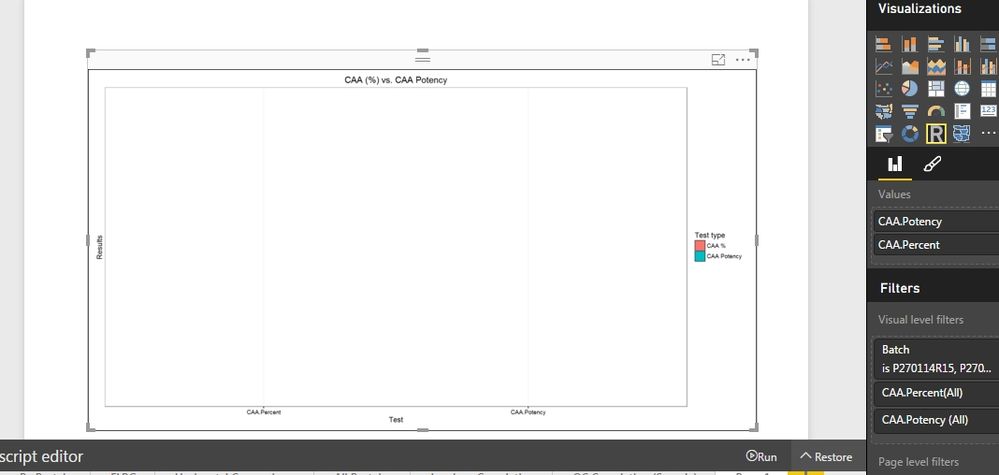
I've ploted a bar chart with standart error in Rstudio, when addapted it to BPI only the frame was ploted with no bars or se.
please help finding and resolving the problem.
Thanks,
Z
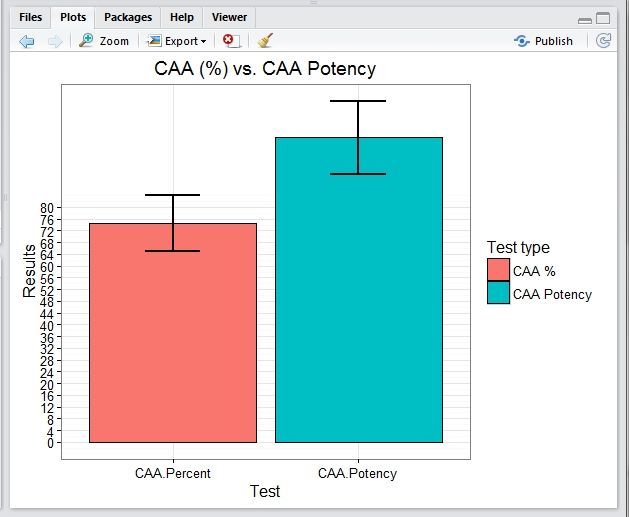
Please find the script and the Rstudio plot:
library(ggplot2)
library(Rmisc)
library(tidyr)
## Source file  Directory  ##

SourcWD<-"C:\\Users\\Lenovo\\Desktop\\BI-O\\Data Files"

setwd(SourcWD)

##  Loading File as dataset  ##
dataset<-read.csv(file="C:\\Users\\Lenovo\\Desktop\\BI-O\\Data Files\\caa.csv", header = TRUE, sep = ",")
attach(dataset)
dataset


# Converting from Wide to Long

keycol <- "Type"
valuecol <- "Mean"
gathercols <- c("CAA.Percent", "CAA.Potency")

dataset_long<-gather_(dataset, keycol, valuecol, gathercols)

#Summerizing

dataset_data <- summarySE(dataset_long, measurevar="Mean","Type")
dataset_data

#Ploting

ggplot(dataset_data, aes(x=Type, y=Mean, fill=Type)) +
  geom_bar(position=position_dodge(), stat="identity",
           colour="black", # Use black outlines,
           size=.3) +      # Thinner lines
  geom_errorbar(aes(ymin=Mean-sd, ymax=Mean+sd),
                size=1,    # Thinner lines
                width=.3,
                position=position_dodge(.1)) +
  xlab(" Test ") +
  ylab("Results") +
  scale_fill_hue(name="Test type", # Legend label, use darker colors
                 labels=c("CAA %", "CAA Potency")) +
  ggtitle("CAA (%) vs. CAA Potency") +
  scale_y_continuous(breaks=0:20*4) +
  theme_bw()
and the plot:
![]()
Also please find the BPI code:
library(data.table, quietly = TRUE);
library(ggplot2, quietly = TRUE);
library(tidyr, quietly = TRUE);
library(Rmisc, quietly = TRUE);
attach(dataset)

#dataset$Batch <- factor(dataset$Batch)
keycol <- "Type"
valuecol <- "Mean"
gathercols <- c("CAA.Percent", "CAA.Potency")

dataset_long<-gather_(dataset, keycol, valuecol, gathercols)
dataset_data <- summarySE(dataset_long, measurevar="Mean","Type")

ggplot(dataset_data, aes(x=Type, y=Mean, fill=Type)) +
geom_bar(position=position_dodge(), stat="identity",
colour="black", # Use black outlines,
size=.3) +      # Thinner lines
geom_errorbar(aes(ymin=Mean-sd, ymax=Mean+sd),
size=.5,    # Thinner lines
width=.3,
position=position_dodge(.9)) +
xlab(" Test ") +
ylab("Results") +
scale_fill_hue(name="Test type", # Legend label, use darker colors
labels=c( "CAA %","CAA Potency")) +
  ggtitle("CAA (%) vs. CAA Potency") +
  scale_y_continuous(breaks=0:20*4) +
  theme_bw()
and the empty plot: