Get certified for free when you join Fabric Data Days 2026 and dive into Fabric, Power BI, SQL, AI, and other essential data skills.
Join nowJuly 28 - August 9 | Final Round of the Power BI Dataviz World Championships. This is your chance. Learn more
Hello PBI Community,
I have a question regarding using RLS in combination with DirectQuery connections.
I have the following situation in my data model:
With this relation, I’m able to filter the “Sales Markets Ih” table in the report.
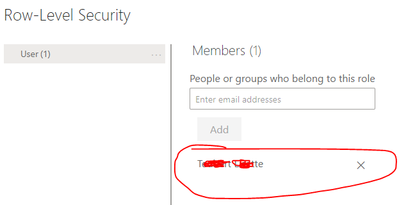
Now I create a new role (RLS) with the DAX query:
[DEPARTMENT] = USERPRINCIPALNAME()
and upload the report, but the report will not be filtered by the users via the RLS query:
Can you help me with this?
Kind regards
Nico
I tested that too. Unfortunately with the same result 😞
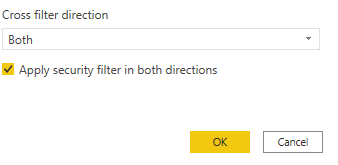
Ok. Can you keep the RLS on email and then check whether the 'Apply security filter in both directions' is checked?
You can find this setting in the relationship between the 2 tables:
Unfortunately, the option is not available for this relationship.
It should be available when there is RLS on stdc_user. But if it is not, I think you found the answer to the question why RLS is not working.
Can you share a pbix file (with dummy data if you want) so that I can have a look?
Hi there,
userprincipalname() fetches the Power BI login of the report user and then compares it to the value of the department column. Is it correct that the column 'department' contains the email/login of your endusers?
Hi,
Thank you for your answer.
That's correct, the field contains the email addresses and the territory (link to "sales markets ih") in another field.
I do see from your printscreen that the table contains the 2 fields email and department.
Can you try to put your RLS on email instead of on Department and then try again?
So: [EMAIL] = USERPRINCIPALNAME()
If you love stickers, then you will definitely want to check out our community sticker challenge, Barcelona edition!
Check out the July 2026 Power BI update to learn about new features.
| User | Count |
|---|---|
| 30 | |
| 28 | |
| 23 | |
| 21 | |
| 19 |
| User | Count |
|---|---|
| 40 | |
| 31 | |
| 18 | |
| 18 | |
| 15 |