This time we’re going bigger than ever. Fabric, Power BI, SQL, AI and more. We're covering it all. You won't want to miss it.
Learn moreLevel up your Power BI skills this month - build one visual each week and tell better stories with data! Get started
Hello PBI Community,
I have a question regarding using RLS in combination with DirectQuery connections.
I have the following situation in my data model:
With this relation, I’m able to filter the “Sales Markets Ih” table in the report.
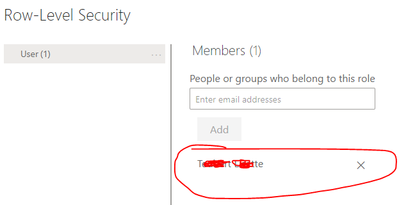
Now I create a new role (RLS) with the DAX query:
[DEPARTMENT] = USERPRINCIPALNAME()
and upload the report, but the report will not be filtered by the users via the RLS query:
Can you help me with this?
Kind regards
Nico
I tested that too. Unfortunately with the same result 😞
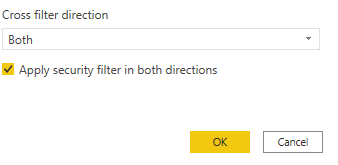
Ok. Can you keep the RLS on email and then check whether the 'Apply security filter in both directions' is checked?
You can find this setting in the relationship between the 2 tables:
Unfortunately, the option is not available for this relationship.
It should be available when there is RLS on stdc_user. But if it is not, I think you found the answer to the question why RLS is not working.
Can you share a pbix file (with dummy data if you want) so that I can have a look?
Hi there,
userprincipalname() fetches the Power BI login of the report user and then compares it to the value of the department column. Is it correct that the column 'department' contains the email/login of your endusers?
Hi,
Thank you for your answer.
That's correct, the field contains the email addresses and the territory (link to "sales markets ih") in another field.
I do see from your printscreen that the table contains the 2 fields email and department.
Can you try to put your RLS on email instead of on Department and then try again?
So: [EMAIL] = USERPRINCIPALNAME()
Check out the April 2026 Power BI update to learn about new features.
Sign up to receive a private message when registration opens and key events begin.
If you have recently started exploring Fabric, we'd love to hear how it's going. Your feedback can help with product improvements.
| User | Count |
|---|---|
| 36 | |
| 33 | |
| 31 | |
| 24 | |
| 18 |
| User | Count |
|---|---|
| 68 | |
| 50 | |
| 33 | |
| 24 | |
| 24 |