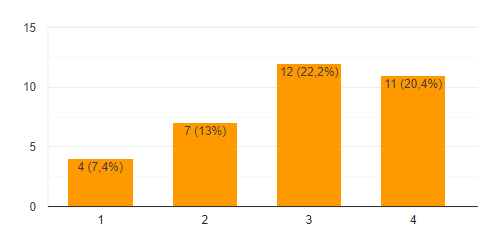
hi, @Anonymous
Power BI does not handle alternate or customer data labels very well but here is a hack that might work for you.
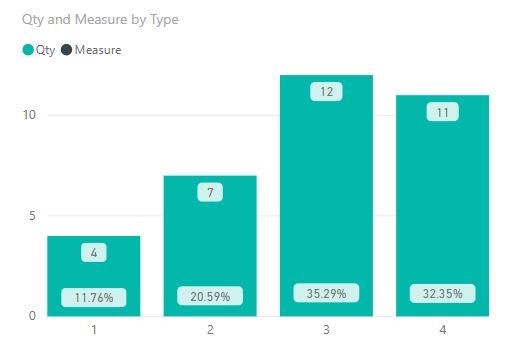
Make your chart a Line and Column Mixed chart put the Count on the Columns and PCT on the Line.
In the formatting panel
- Turn on Data Lables
- Under Y Axis be sure Show Secondary is turned on and make the text color the same as your background if you want to hide it
- Under Shapes set the Sroke Width to 0 and show markers off (this turns off the line and you only see the labels
You get what you asked for but I don't really like the way its laid out - inconsitent placment sometime % is below the Value and other time above.
Best Regards,
Lin
Community Support Team _ Lin
If this post helps, then please consider Accept it as the solution to help the other members find it more quickly.