Join us at FabCon Atlanta from March 16 - 20, 2026, for the ultimate Fabric, Power BI, AI and SQL community-led event. Save $200 with code FABCOMM.
Register now!The Power BI Data Visualization World Championships is back! It's time to submit your entry. Live now!
Hello,
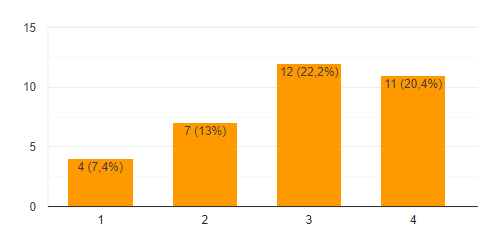
Is it possible to include both % and the value in a graph (like shown in below image) ?
Solved! Go to Solution.
hi, @Luukv93
Power BI does not handle alternate or customer data labels very well but here is a hack that might work for you.
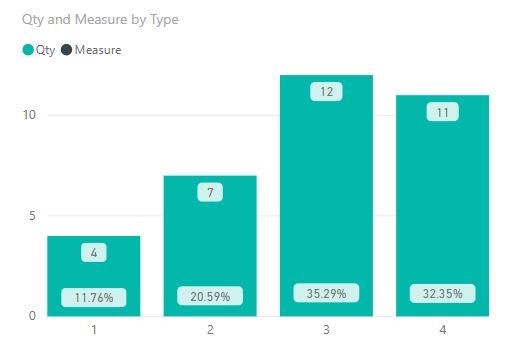
Make your chart a Line and Column Mixed chart put the Count on the Columns and PCT on the Line.
In the formatting panel
You get what you asked for but I don't really like the way its laid out - inconsitent placment sometime % is below the Value and other time above.
Best Regards,
Lin
hi, @Luukv93
Power BI does not handle alternate or customer data labels very well but here is a hack that might work for you.
Make your chart a Line and Column Mixed chart put the Count on the Columns and PCT on the Line.
In the formatting panel
You get what you asked for but I don't really like the way its laid out - inconsitent placment sometime % is below the Value and other time above.
Best Regards,
Lin
Hi Lin,
This hack works great! Thank you!
| User | Count |
|---|---|
| 49 | |
| 37 | |
| 33 | |
| 22 | |
| 18 |
| User | Count |
|---|---|
| 133 | |
| 99 | |
| 57 | |
| 38 | |
| 38 |