This is best Fabric, Power BI, SQL and AI community event. How do we know? The last event sold out! Save €200 with code FABCMTY200.
Register nowA new Data Days event is coming soon! This time we’re going bigger than ever. Fabric, Power BI, SQL, AI and more. Don't miss out.
Hello
So, I need your help.
I have a problem with refreshing tables.
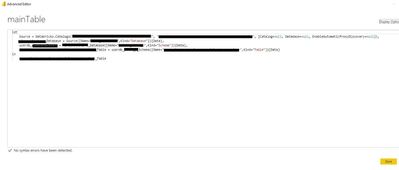
I have a table - call "mainTable", datasource is azure/databricks, have ca. 0,5mln rows.
(Steps : Source, Navigation)
I create by right click -> Reference, three reference tables Q1,Q2,Q3.
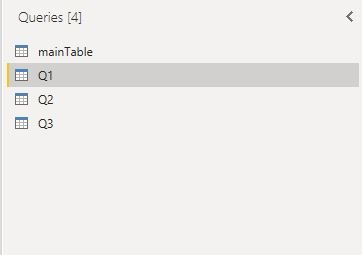
My goal is: during refresh my project only mainTable should downloaded datasource and the other 3 reference tables should be based on this mainTable.
Unfortunately when I refresh my project all 3 reference tables downloading the same datasource (3x 0,5mln)
I checked/uncheked this but still without good result.
I read that it is possible that after downloading the first table, the other caching and based on this first downloaded table. But i dont know how can I do it 😞
HI @Anonymous,
I suppose you can try to reference from the source query table and cancel the 'include in refresh' option of the reference tables or create these in dataflow side.
Referencing Power Query queries - Power BI | Microsoft Learn
Regards,
Xiaoxin Sheng
"I suppose you can try to reference from the source query table and cancel the 'include in refresh' option of the reference tables"
its doesnt work.
Sign up to receive a private message when registration opens and key events begin.
If you have recently started exploring Fabric, we'd love to hear how it's going. Your feedback can help with product improvements.
| User | Count |
|---|---|
| 33 | |
| 25 | |
| 23 | |
| 20 | |
| 15 |
| User | Count |
|---|---|
| 64 | |
| 41 | |
| 27 | |
| 22 | |
| 22 |