
Don't miss your chance to take the Fabric Data Engineer (DP-600) exam for FREE! Find out how by attending the DP-600 session on April 23rd (pacific time), live or on-demand.
Learn moreNext up in the FabCon + SQLCon recap series: The roadmap for Microsoft SQL and Maximizing Developer experiences in Fabric. All sessions are available on-demand after the live show. Register now
Hello,
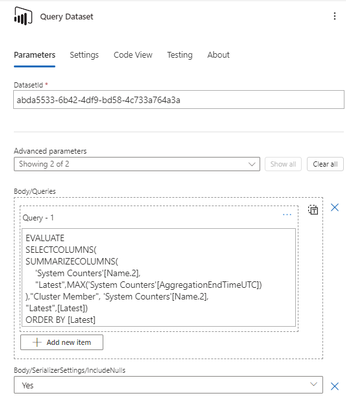
I have a Power Automate flow in which I use a "Run query against a dataset" action for Power BI.
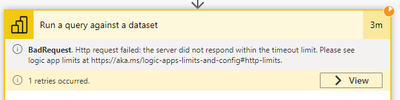
The query is a bit long to run (around 2.5 minutes, tested it in DAX Studio) and I get a timeout :
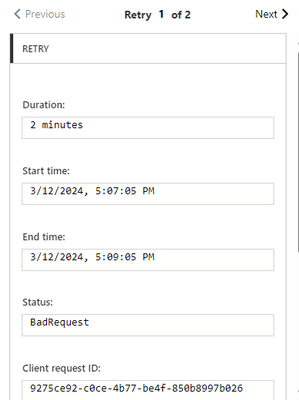
It seems there is a 2 min timeout duration for the request :
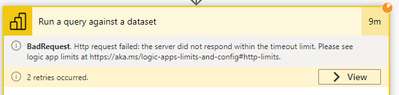
Then it seems to retry, but since my query is longer than the timeout value, it keeps retrying without success.
I've tried modifying the timeout duration to 10 minutes in the settings but that didn't change anything
This setting doesn't impact request timeout according to the description, but I tried it anyways 😅
I also tried the same query but on a smaller scope of data and it works fine.
How can I increase the timeout duration of the request ?
Thanks in advance for the help.
Best regards
Might be worth trying to do this via your own custom connector.
Just to see if you also hit the two minute timeout.
In general any query that runs longer than 5 seconds "has room for improvement".
Thanks for the reply.
Any guide online on how to create this custom connector, or how you did it ? We currently don't have any service principal so I don't know if it's possible without it
Best regards
You don't need a service principal, but it surely makes life a little easier.
Here's the guide: Custom connectors overview | Microsoft Learn
If you have recently started exploring Fabric, we'd love to hear how it's going. Your feedback can help with product improvements.
A new Power BI DataViz World Championship is coming this June! Don't miss out on submitting your entry.
Share feedback directly with Fabric product managers, participate in targeted research studies and influence the Fabric roadmap.
| User | Count |
|---|---|
| 48 | |
| 45 | |
| 41 | |
| 20 | |
| 17 |
| User | Count |
|---|---|
| 69 | |
| 64 | |
| 32 | |
| 31 | |
| 27 |