
Get certified for free when you join Fabric Data Days 2026 and dive into Fabric, Power BI, SQL, AI, and other essential data skills.
Join nowJuly 28 - August 9 | Final Round of the Power BI Dataviz World Championships. This is your chance. Learn more
Hello,
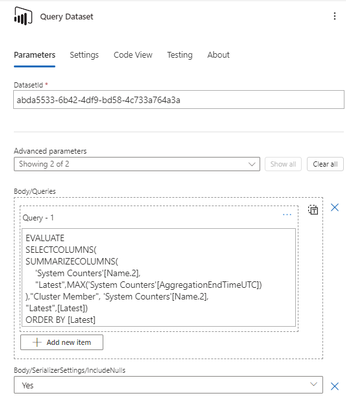
I have a Power Automate flow in which I use a "Run query against a dataset" action for Power BI.
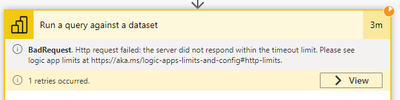
The query is a bit long to run (around 2.5 minutes, tested it in DAX Studio) and I get a timeout :
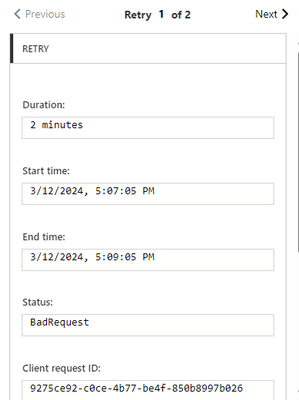
It seems there is a 2 min timeout duration for the request :
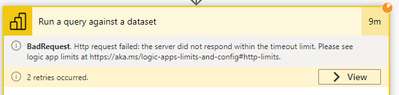
Then it seems to retry, but since my query is longer than the timeout value, it keeps retrying without success.
I've tried modifying the timeout duration to 10 minutes in the settings but that didn't change anything
This setting doesn't impact request timeout according to the description, but I tried it anyways 😅
I also tried the same query but on a smaller scope of data and it works fine.
How can I increase the timeout duration of the request ?
Thanks in advance for the help.
Best regards
Might be worth trying to do this via your own custom connector.
Just to see if you also hit the two minute timeout.
In general any query that runs longer than 5 seconds "has room for improvement".
Thanks for the reply.
Any guide online on how to create this custom connector, or how you did it ? We currently don't have any service principal so I don't know if it's possible without it
Best regards
You don't need a service principal, but it surely makes life a little easier.
Here's the guide: Custom connectors overview | Microsoft Learn
If you love stickers, then you will definitely want to check out our community sticker challenge, Barcelona edition!
Check out the July 2026 Power BI update to learn about new features.
| User | Count |
|---|---|
| 28 | |
| 28 | |
| 20 | |
| 19 | |
| 19 |
| User | Count |
|---|---|
| 43 | |
| 31 | |
| 18 | |
| 18 | |
| 16 |