This is best Fabric, Power BI, SQL and AI community event. How do we know? The last event sold out! Save €200 with code FABCMTY200.
Register nowA new Data Days event is coming soon! This time we’re going bigger than ever. Fabric, Power BI, SQL, AI and more. Don't miss out.
Hello,
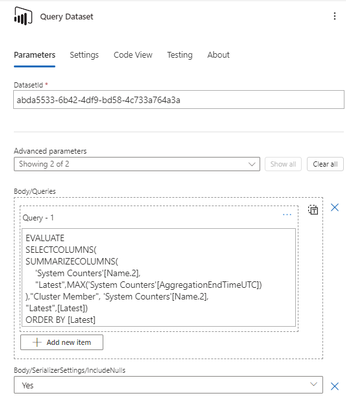
I have a Power Automate flow in which I use a "Run query against a dataset" action for Power BI.
The query is a bit long to run (around 2.5 minutes, tested it in DAX Studio) and I get a timeout :
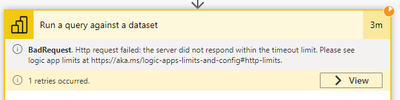
It seems there is a 2 min timeout duration for the request :
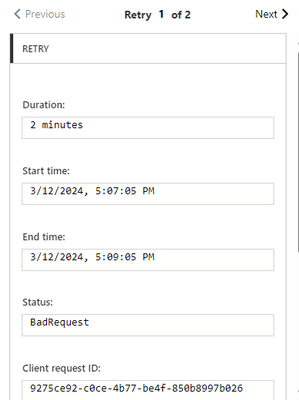
Then it seems to retry, but since my query is longer than the timeout value, it keeps retrying without success.
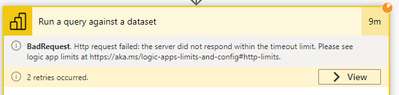
I've tried modifying the timeout duration to 10 minutes in the settings but that didn't change anything

This setting doesn't impact request timeout according to the description, but I tried it anyways 😅
I also tried the same query but on a smaller scope of data and it works fine.
How can I increase the timeout duration of the request ?
Thanks in advance for the help.
Best regards
Might be worth trying to do this via your own custom connector.
Just to see if you also hit the two minute timeout.
In general any query that runs longer than 5 seconds "has room for improvement".
Thanks for the reply.
Any guide online on how to create this custom connector, or how you did it ? We currently don't have any service principal so I don't know if it's possible without it
Best regards
You don't need a service principal, but it surely makes life a little easier.
Here's the guide: Custom connectors overview | Microsoft Learn
Sign up to receive a private message when registration opens and key events begin.
If you have recently started exploring Fabric, we'd love to hear how it's going. Your feedback can help with product improvements.
| User | Count |
|---|---|
| 32 | |
| 26 | |
| 23 | |
| 20 | |
| 15 |
| User | Count |
|---|---|
| 65 | |
| 41 | |
| 28 | |
| 22 | |
| 22 |