Join us at FabCon Atlanta from March 16 - 20, 2026, for the ultimate Fabric, Power BI, AI and SQL community-led event. Save $200 with code FABCOMM.
Register now!Vote for your favorite vizzies from the Power BI Dataviz World Championship submissions. Vote now!
Hello BI developers,
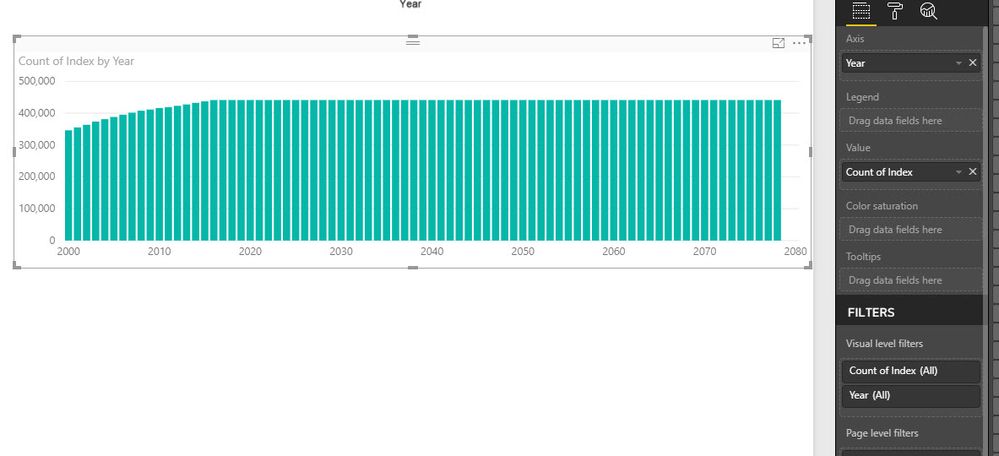
I came across a strage situation which does not make sense. I am sure I am doing somethign wrong but I cannot figure it out. I have a dataset (very huge) and need to do some visulisation. I need to some part in R to make the life easier, but the outputs are different even for the simpleset scanrio which is counting the rows. I have added an Index (auto increment) from Power BI to avoid any possible removal of duplicate rows.
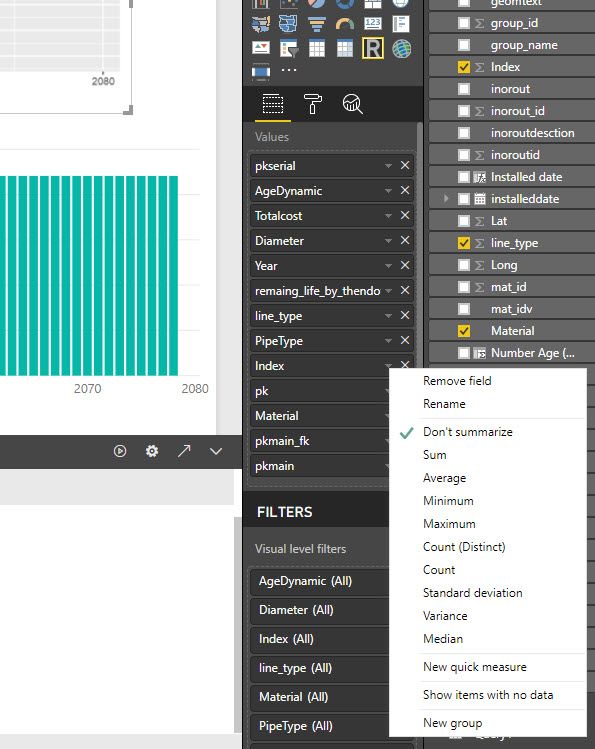
All the values in the R script have "Don't summarize", but still the values (the count) are different. Please see the screenshots. If you need more information please let me know.
library(sqldf)
library(ggplot2)
options(scipen=999)
datas=sqldf("select count() as tc, Year from dataset group by Year ")
ggplot(datas, aes(x = Year, y = tc)) + geom_line()
Solved! Go to Solution.
Hi @mohsenhs82,
I can reproduce the same result. But I'm afraid this is a limitation of R visual in Power BI. Please refer to desktop-r-visuals#known-limitations. If I reduce the size of data to less than 150000, it's good.
Best Regards,
Dale
Hi @mohsenhs82,
I can reproduce the same result. But I'm afraid this is a limitation of R visual in Power BI. Please refer to desktop-r-visuals#known-limitations. If I reduce the size of data to less than 150000, it's good.
Best Regards,
Dale
Thank you Dale,
I see, when I plotted the total number of rows in my R scipt I saw 150k. I was suprised as I have millions of records. so this is the limitation. what a shame, but at least I know, and thanks for the link too.
Thanks
M
If you love stickers, then you will definitely want to check out our Community Sticker Challenge!
Check out the January 2026 Power BI update to learn about new features.
| User | Count |
|---|---|
| 69 | |
| 50 | |
| 41 | |
| 29 | |
| 22 |
| User | Count |
|---|---|
| 135 | |
| 123 | |
| 56 | |
| 37 | |
| 32 |