This time we’re going bigger than ever. Fabric, Power BI, SQL, AI and more. We're covering it all. You won't want to miss it.
Learn moreGet Fabric Certified for FREE during AI Skills Fest. This week only. Secure your voucher now.
Hello BI developers,
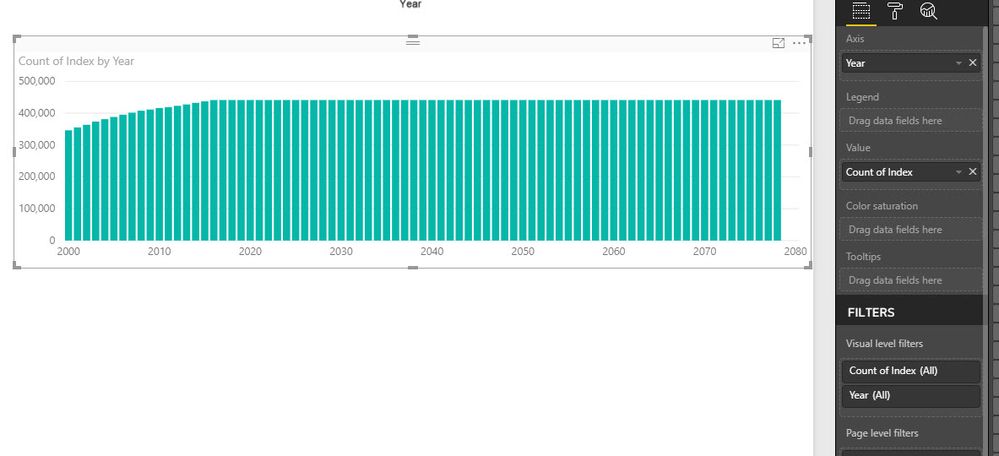
I came across a strage situation which does not make sense. I am sure I am doing somethign wrong but I cannot figure it out. I have a dataset (very huge) and need to do some visulisation. I need to some part in R to make the life easier, but the outputs are different even for the simpleset scanrio which is counting the rows. I have added an Index (auto increment) from Power BI to avoid any possible removal of duplicate rows.
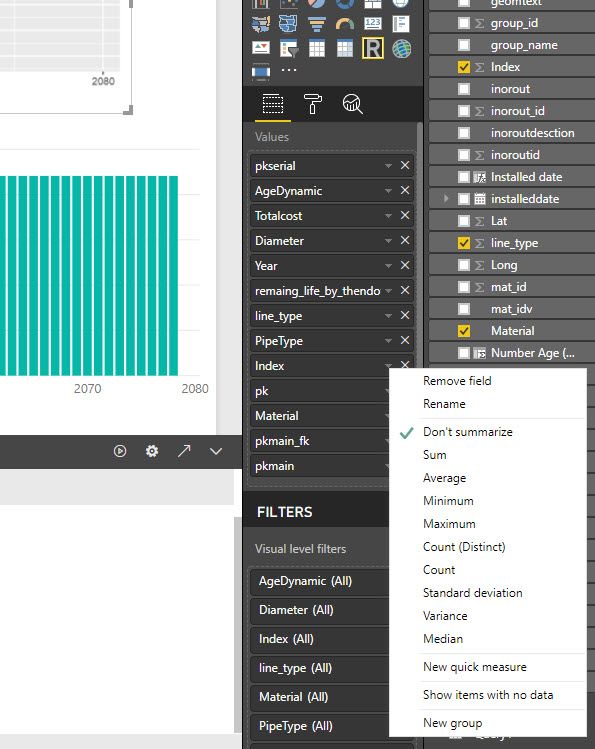
All the values in the R script have "Don't summarize", but still the values (the count) are different. Please see the screenshots. If you need more information please let me know.
library(sqldf)
library(ggplot2)
options(scipen=999)
datas=sqldf("select count() as tc, Year from dataset group by Year ")
ggplot(datas, aes(x = Year, y = tc)) + geom_line()
Solved! Go to Solution.
Hi @mohsenhs82,
I can reproduce the same result. But I'm afraid this is a limitation of R visual in Power BI. Please refer to desktop-r-visuals#known-limitations. If I reduce the size of data to less than 150000, it's good.
Best Regards,
Dale
Hi @mohsenhs82,
I can reproduce the same result. But I'm afraid this is a limitation of R visual in Power BI. Please refer to desktop-r-visuals#known-limitations. If I reduce the size of data to less than 150000, it's good.
Best Regards,
Dale
Thank you Dale,
I see, when I plotted the total number of rows in my R scipt I saw 150k. I was suprised as I have millions of records. so this is the limitation. what a shame, but at least I know, and thanks for the link too.
Thanks
M
Check out the May 2026 Power BI update to learn about new features.
Sign up to receive a private message when registration opens and key events begin.
If you have recently started exploring Fabric, we'd love to hear how it's going. Your feedback can help with product improvements.
| User | Count |
|---|---|
| 25 | |
| 24 | |
| 22 | |
| 21 | |
| 19 |
| User | Count |
|---|---|
| 56 | |
| 52 | |
| 49 | |
| 25 | |
| 25 |