Join us at FabCon Atlanta from March 16 - 20, 2026, for the ultimate Fabric, Power BI, AI and SQL community-led event. Save $200 with code FABCOMM.
Register now!The Power BI Data Visualization World Championships is back! Get ahead of the game and start preparing now! Learn more
Hello,
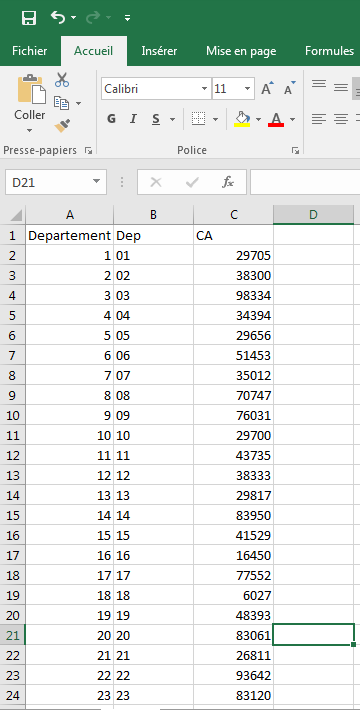
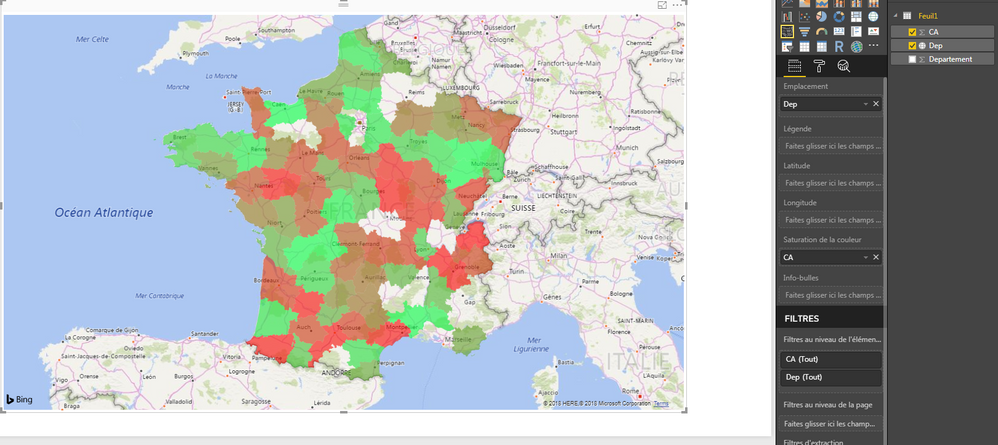
I'm new to Power BI. I am using an excel file that contains the departements et the turnover fields. I tried to visualize the departements on the map with the turnover as color saturation but not all departments are shown on the map.
Can someone please help?
Thanks.
Hi Tatynout,
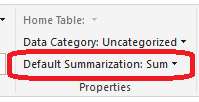
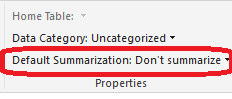
Click Modeling-> Default Summarization, choose Don't summarize and try again.
Regards,
Jimmy Tao
Hi @v-yuta-msft,
Thanks for your reply. I tried and it still does not work. I am asking myself if it is not a bug in the new version of Power BI Desktop cuz it was working perfectly some days ago but as soon as i updated the version i had, i encountered this issue.
Regards,
Tatiana Nouteping.
Hi Tatynout,
Please use the full name of country or region and try again. Some abbreviation may not be recognized by the map visual.
Regards,
Jimmy Tao
The Power BI Data Visualization World Championships is back! Get ahead of the game and start preparing now!
| User | Count |
|---|---|
| 40 | |
| 37 | |
| 33 | |
| 29 | |
| 26 |
| User | Count |
|---|---|
| 134 | |
| 104 | |
| 63 | |
| 60 | |
| 55 |