Don't miss your chance to take the Fabric Data Engineer (DP-600) exam for FREE! Find out how by attending the DP-600 session on April 23rd (pacific time), live or on-demand.
Learn moreNext up in the FabCon + SQLCon recap series: The roadmap for Microsoft SQL and Maximizing Developer experiences in Fabric. All sessions are available on-demand after the live show. Register now
Hello,
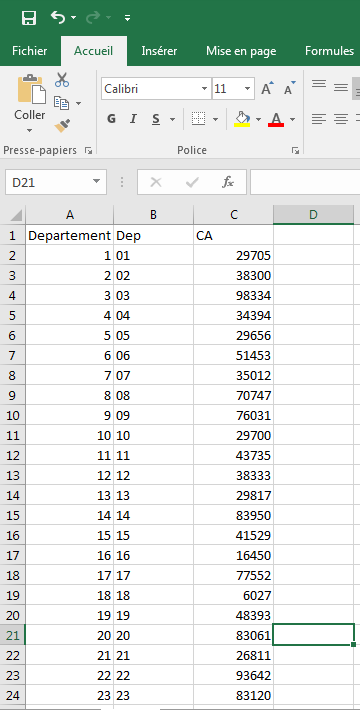
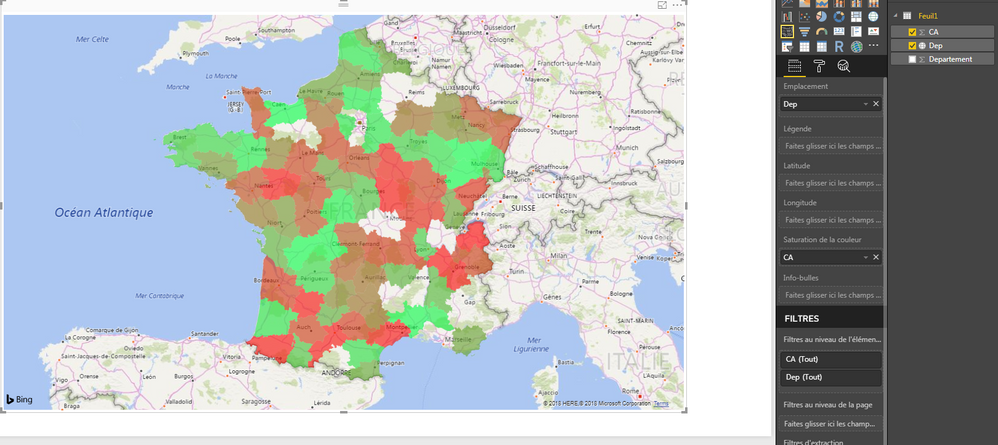
I'm new to Power BI. I am using an excel file that contains the departements et the turnover fields. I tried to visualize the departements on the map with the turnover as color saturation but not all departments are shown on the map.
Can someone please help?
Thanks.
Hi Tatynout,
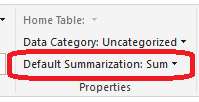
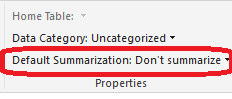
Click Modeling-> Default Summarization, choose Don't summarize and try again.
Regards,
Jimmy Tao
Hi @v-yuta-msft,
Thanks for your reply. I tried and it still does not work. I am asking myself if it is not a bug in the new version of Power BI Desktop cuz it was working perfectly some days ago but as soon as i updated the version i had, i encountered this issue.
Regards,
Tatiana Nouteping.
Hi Tatynout,
Please use the full name of country or region and try again. Some abbreviation may not be recognized by the map visual.
Regards,
Jimmy Tao
If you have recently started exploring Fabric, we'd love to hear how it's going. Your feedback can help with product improvements.
A new Power BI DataViz World Championship is coming this June! Don't miss out on submitting your entry.
Share feedback directly with Fabric product managers, participate in targeted research studies and influence the Fabric roadmap.
| User | Count |
|---|---|
| 44 | |
| 43 | |
| 38 | |
| 19 | |
| 15 |
| User | Count |
|---|---|
| 68 | |
| 64 | |
| 31 | |
| 29 | |
| 24 |