This time we’re going bigger than ever. Fabric, Power BI, SQL, AI and more. We're covering it all. You won't want to miss it.
Learn moreDid you hear? There's a new SQL AI Developer certification (DP-800). Start preparing now and be one of the first to get certified. Register now
Hello,
Any idea how can I make this matrix look more intersting instaed of just a bunch of numbers?
Conditional Formatting? Use a different visualization?
@Anonymous Which other visualization would you recomend.
Thanks,
Stephen
My opinion is that only you know what you will work best for your audience when it comes to design. However, there are some good books on the topic, I recently picked up The Visual Display of Quantitative Information by Edward Tufte. It's not specific to Power BI but is a great foundation for understanding the visualization of data.
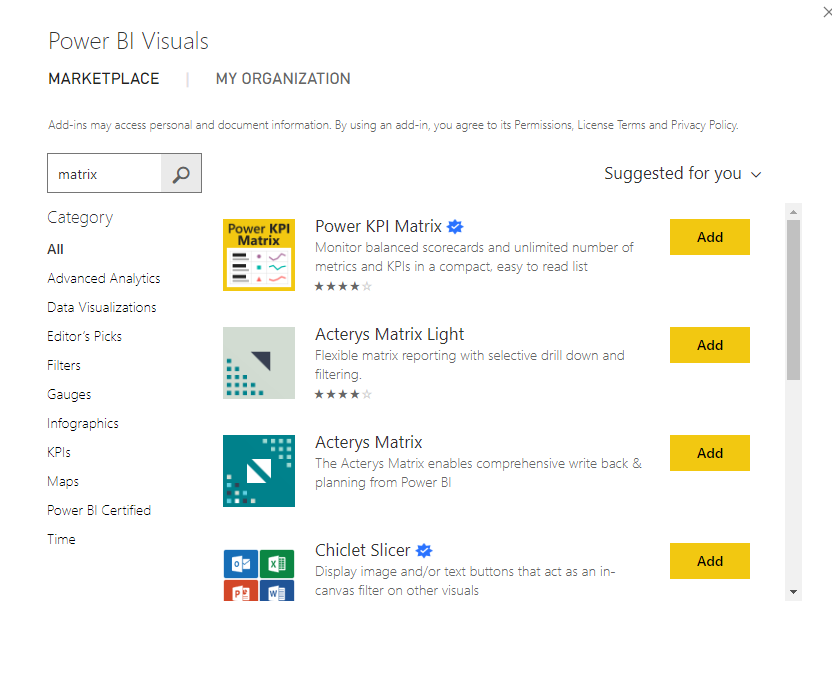
There are also some "fancy" matricies available on the Marketplace that might suit your needs.
If this is helpful, please mark this as a solution and/or give kudos to make this easier for other users to find. Cheers!
Check out the April 2026 Power BI update to learn about new features.
Sign up to receive a private message when registration opens and key events begin.
If you have recently started exploring Fabric, we'd love to hear how it's going. Your feedback can help with product improvements.
| User | Count |
|---|---|
| 36 | |
| 33 | |
| 31 | |
| 21 | |
| 16 |
| User | Count |
|---|---|
| 66 | |
| 55 | |
| 31 | |
| 26 | |
| 23 |