cancel
Showing results for 
Search instead for 
Did you mean: 

We've captured the moments from FabCon & SQLCon that everyone is talking about, and we are bringing them to the community, live and on-demand. Starts on April 14th. Register now

Reply
brinky
Helper IV
Helper IV

Layout

Hello,


Any idea how can I make this matrix look more intersting instaed of just a bunch of numbers?Matrix.PNG

5 REPLIES 5
Tahreem24
Super User
Super User

Hi,
You can make it more pleasing and interactive by applying conditional formatting, Data bar color etc. Please check in latest version if icon can also be appended.
Use the below link to get more deets on Matrix:

https://docs.microsoft.com/en-us/power-bi/visuals/desktop-matrix-visual

Please give Kudos and accept this as a solution if it helps you!
Don't forget to give thumbs up and accept this as a solution if it helped you!!!

Please take a quick glance at newly created dashboards : Restaurant Management Dashboard , HR Analytics Report , Hotel Management Report, Sales Analysis Report , Fortune 500 Companies Analysis , Revenue Tracking Dashboard

Hi Brickly,

You can also append icon using below reference link:
https://www.goodly.co.in/use-icons-in-power-bi/
Don't forget to give thumbs up and accept this as a solution if it helped you!!!

Please take a quick glance at newly created dashboards : Restaurant Management Dashboard , HR Analytics Report , Hotel Management Report, Sales Analysis Report , Fortune 500 Companies Analysis , Revenue Tracking Dashboard
Anonymous
Not applicable

Conditional Formatting? Use a different visualization?

@Anonymous  Which other visualization would you recomend.


Thanks,

Stephen

Anonymous
Not applicable

My opinion is that only you know what you will work best for your audience when it comes to design. However, there are some good books on the topic, I recently picked up The Visual Display of Quantitative Information by Edward Tufte. It's not specific to Power BI but is a great foundation for understanding the visualization of data. 


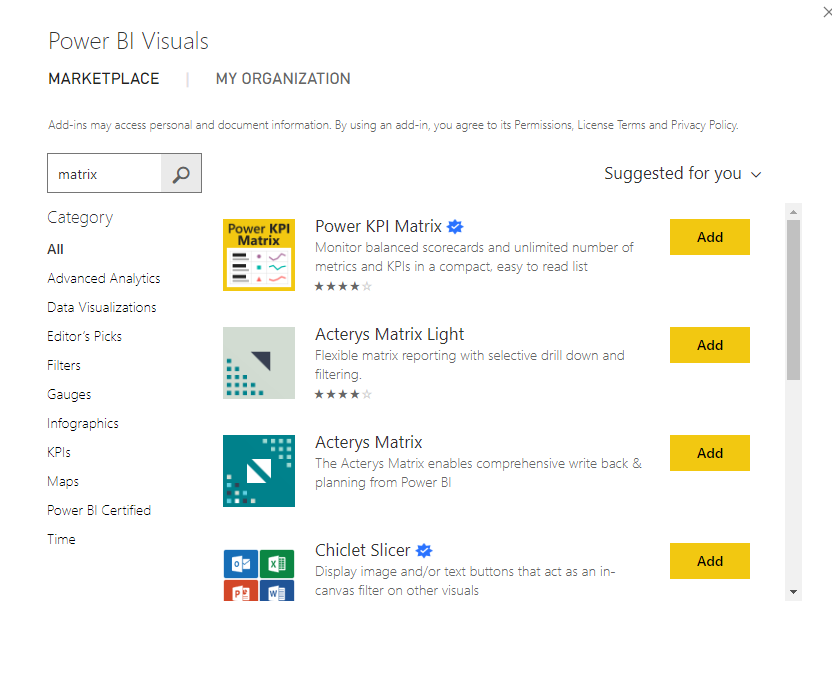
There are also some "fancy" matricies available on the Marketplace that might suit your needs.


matrix.PNG

If this is helpful, please mark this as a solution and/or give kudos to make this easier for other users to find. Cheers!

Helpful resources

Announcements
New to Fabric survey Carousel

New to Fabric Survey

If you have recently started exploring Fabric, we'd love to hear how it's going. Your feedback can help with product improvements.

Power BI DataViz World Championships carousel

Power BI DataViz World Championships - June 2026

A new Power BI DataViz World Championship is coming this June! Don't miss out on submitting your entry.

Join our Fabric User Panel

Join our Fabric User Panel

Share feedback directly with Fabric product managers, participate in targeted research studies and influence the Fabric roadmap.

March Power BI Update Carousel

Power BI Community Update - March 2026

Check out the March 2026 Power BI update to learn about new features.