This time we’re going bigger than ever. Fabric, Power BI, SQL, AI and more. We're covering it all. You won't want to miss it.
Learn moreDid you hear? There's a new SQL AI Developer certification (DP-800). Start preparing now and be one of the first to get certified. Register now
Hi there,
Very new here, and probably this question is already resolved but I cannot figure out.
I have my data in a matrix table with a list aof Sales Representatives + 3 columns in the first column sales and ther other 2 count of
I need to show in the first column a green button for sales over $10,000, a red button less than $10,000 and for the other two column green for count over 5 and red for count less than five.
Thanks in advance for any help!
Regards
Solved! Go to Solution.
Hi @sajarac,
Based on my research, you could use the UNICHAR function to show different shape, you could refer below link to set different symbols:
List of Unicode Symbols:
https://www.vertex42.com/ExcelTips/unicode-symbols.html
Regards,
Daniel He
There are lots of different ways of doing this. Here are a couple.
Thank you very much for your prompt reply.
However it seems like is designed for expert user, and I am currently in baby steps.
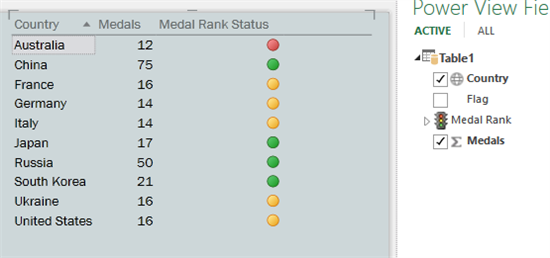
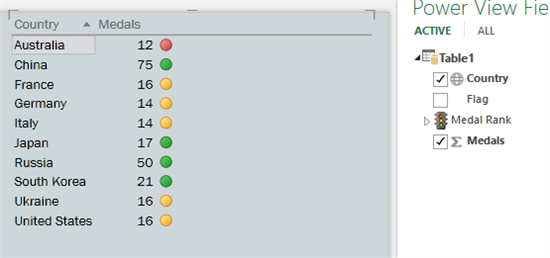
I know how to apply icons sets in excel and I was hopping to see the same fuctionality here in PBI. So far I have my table with conditional format "Font Chage" i.e if this number is below to 10,000 red, green.
But I would like to add a nice shape
hi @sajarac
I am also taking baby steps.
Curious to know how did you sort this one out?
I have the same need and seem to be facing the same problems as you. and have the same skill level 🙂
Thank you
J
Hi,
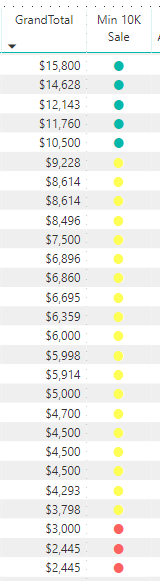
I created a Measure i.e KPI
KPI = UNICHAR(11044)
Then in my table I have added a column "KPI" KPI in my case was rename to "Min 10K Sale"
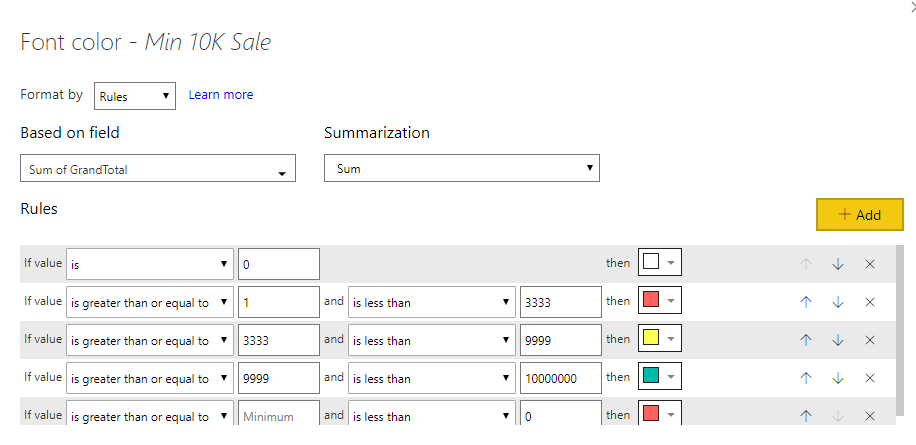
Now in that column for the conditional format I changed the format by "Rules" based on my taste
Regards,
Sajarac
Hi @sajarac,
Based on my research, you could use the UNICHAR function to show different shape, you could refer below link to set different symbols:
List of Unicode Symbols:
https://www.vertex42.com/ExcelTips/unicode-symbols.html
Regards,
Daniel He
Check out the April 2026 Power BI update to learn about new features.
Sign up to receive a private message when registration opens and key events begin.
If you have recently started exploring Fabric, we'd love to hear how it's going. Your feedback can help with product improvements.
| User | Count |
|---|---|
| 36 | |
| 33 | |
| 31 | |
| 21 | |
| 16 |
| User | Count |
|---|---|
| 66 | |
| 55 | |
| 31 | |
| 24 | |
| 23 |