cancel
Showing results for 
Search instead for 
Did you mean: 

We've captured the moments from FabCon & SQLCon that everyone is talking about, and we are bringing them to the community, live and on-demand. Starts on April 14th. Register now

Reply
clairethnguyen
Frequent Visitor

Help needed with data labeling

Hi,


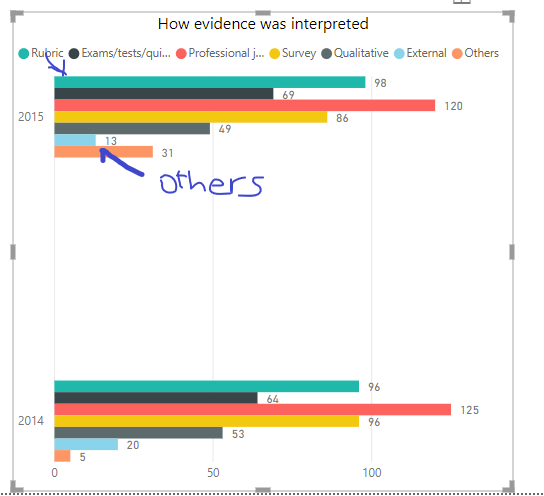
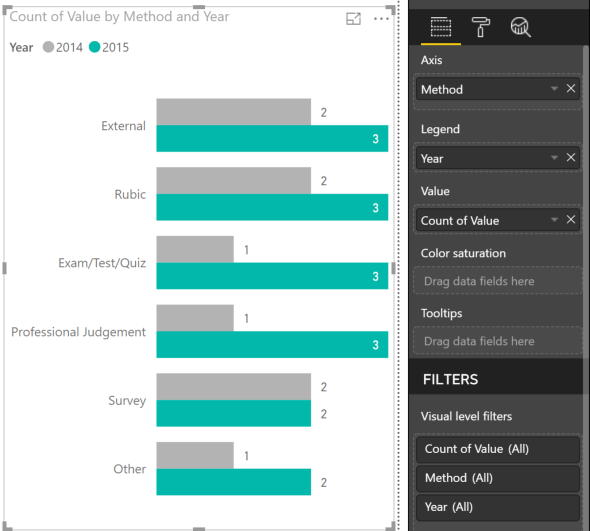
Could you please tell me how I can get the data labels to be shown on the bars, not on top of the chart?


tempsnip.pngT


Thanks,

5 REPLIES 5
Anonymous
Not applicable

Hi clairethnguyen,


I believe that you have use a wrong set up for the chart if you want to show each label on the Y axis.


I assume that you are trying to compare different evidence between two years:


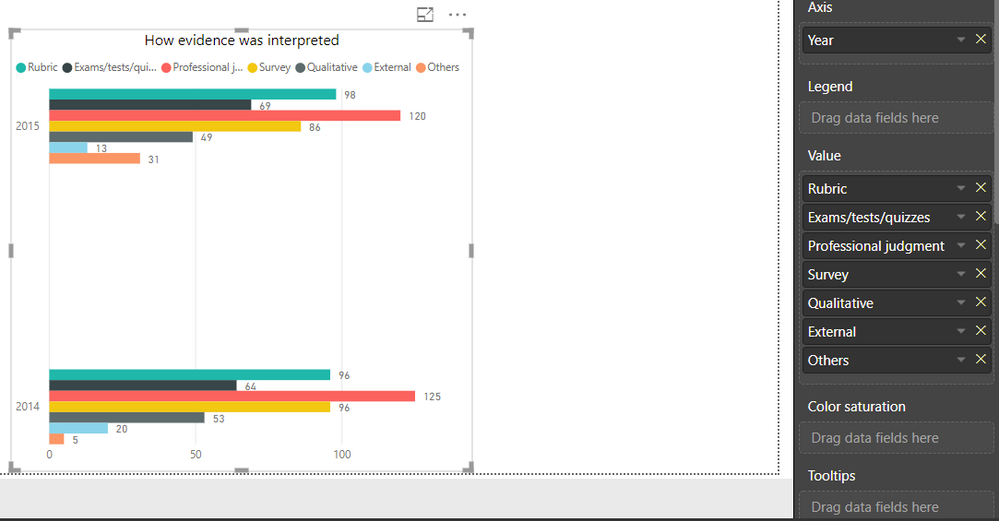
Your current set up:

  1. Evidence (Rubic to Others) ---> Legend
  2. Year ---> Axis
  3. Value ---> Values

Put following field to positions of bar chart:

  1. Evidence (Rubic to Others) ---> Axis
  2. Year ---> Legend
  3. Value ---> Values


Let me know if this help. Thanks.

Hi,


This is how I set up the data:

Capture 2.PNG

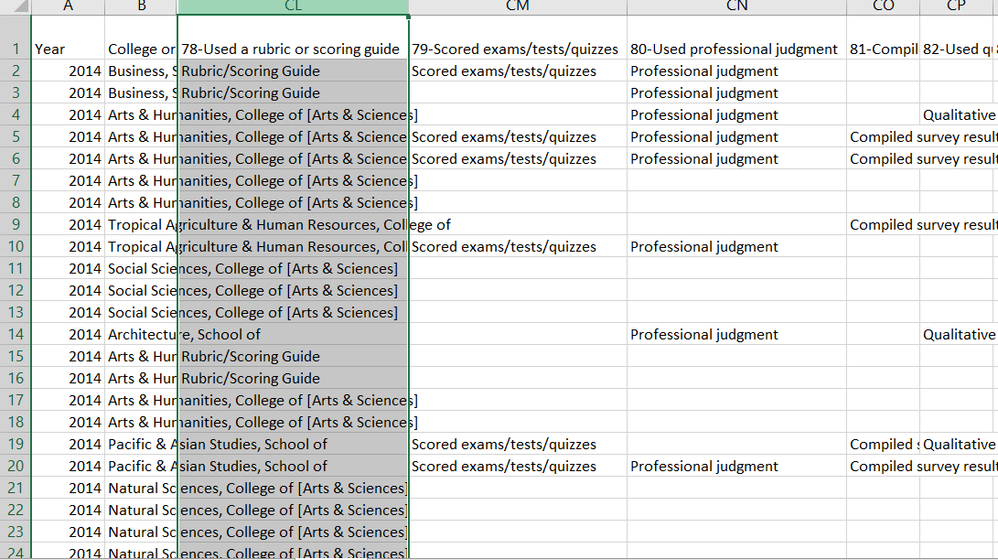
When I tried to change the set up, I couldn't drag more than one values to the "Value" field. Also, this is my raw data if it helps:

Capture 3.PNG

Anonymous
Not applicable

Ok, now it is clear that your problem is from your data structure. I suggest to unpivot the data first.


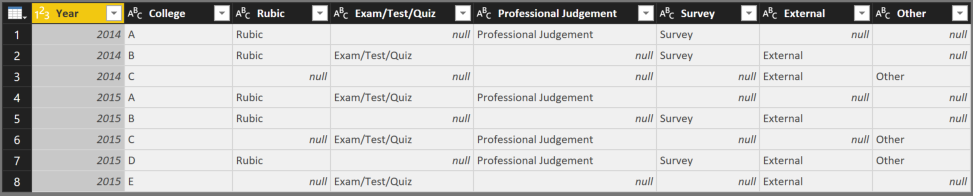
Let say, I have similar data:

Capture.PNG


By select 2 columns: Year & College collumn -> Transform -> Unpivot Columns -> Unpivot other columns, we have new data:

Capture.PNG


Now, when import and create visualization, you can set up bar chart like following:Capture.PNG


Let me know if this work. Thanks


Hi,


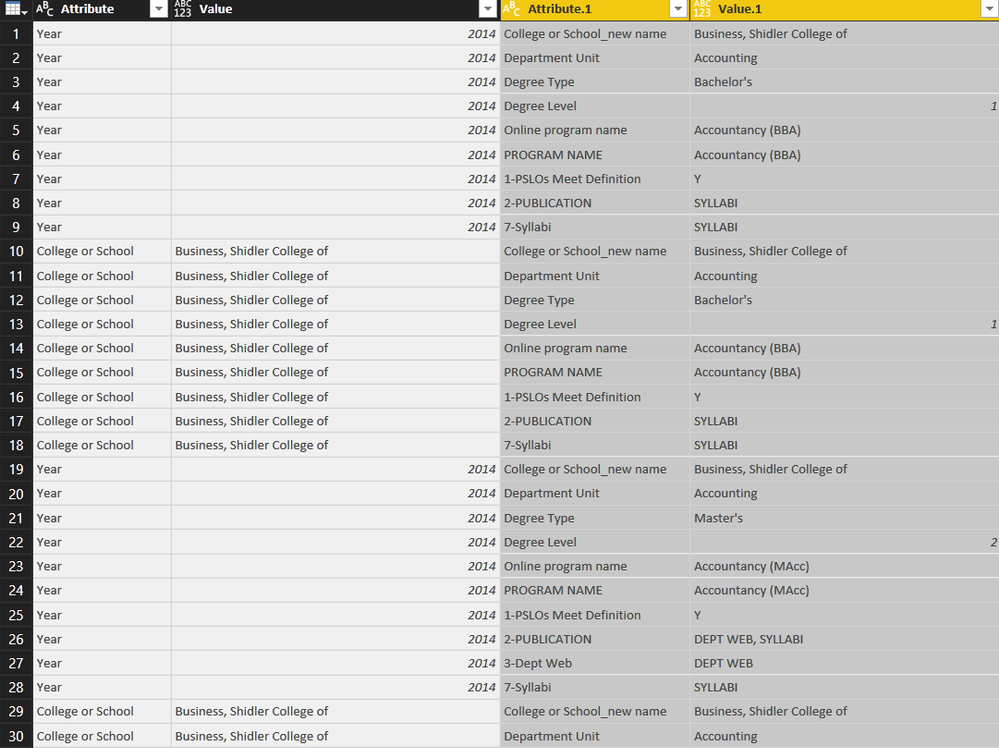
I tried "unpivot columns" but it didn't seem to work, I guess because I have other columns of data (college new name, program name, degree type, etc.) please see below

Capture5.PNG

 This is what I got after unpivot columns and unpivot other columns:Capture6.PNG


Could you let me know where the problem is? Thanks!


JoyCornerstone
Resolver II
Resolver II

Go to image.png.


Where it says "Position" select "Inside End" or the like and it will move the location of them.

Helpful resources

Announcements
New to Fabric survey Carousel

New to Fabric Survey

If you have recently started exploring Fabric, we'd love to hear how it's going. Your feedback can help with product improvements.

Power BI DataViz World Championships carousel

Power BI DataViz World Championships - June 2026

A new Power BI DataViz World Championship is coming this June! Don't miss out on submitting your entry.

Join our Fabric User Panel

Join our Fabric User Panel

Share feedback directly with Fabric product managers, participate in targeted research studies and influence the Fabric roadmap.

March Power BI Update Carousel

Power BI Community Update - March 2026

Check out the March 2026 Power BI update to learn about new features.