cancel
Showing results for 
Search instead for 
Did you mean: 

Try your skills in the Power BI Dataviz World Championship! Round one ends June 26. Join now

Reply
Anonymous
Not applicable

Graph Not Display Any Data Unless User Filters

Dear All, 


I have a Line Graph where it should display different measures based on filter selection. 

I have a table that contains these following columns: 

1) App Name (more than 100 units)

2) Platform

3) Country

4) Category

5) Ranking 


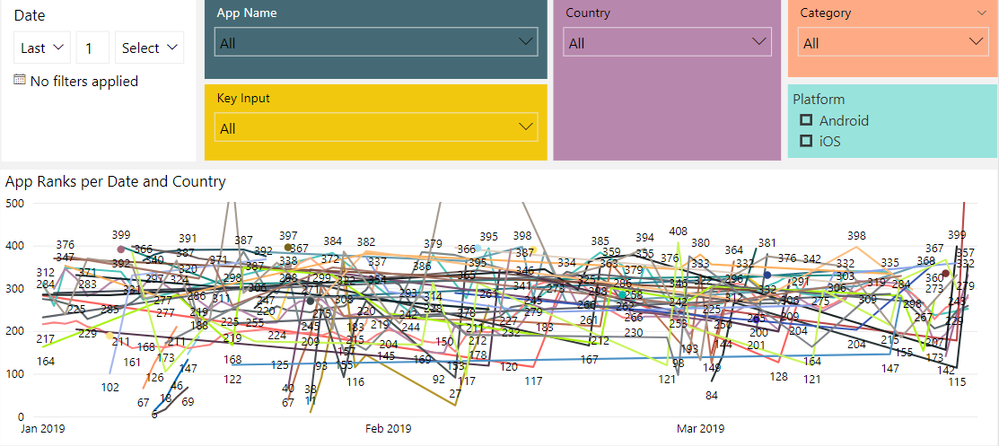
Currently, the graph is very messy as it has all of these elements display at the same time. 

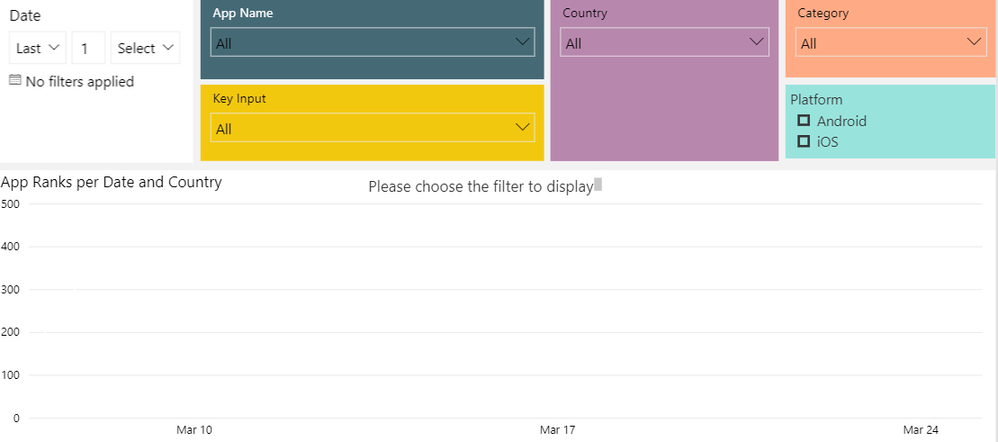
Is there a way that the graph will not display anything unless user chooses a specific value in the filter selection? I would like to have something like the attached screenshot (Desired State)


Many thanks in advance for your time and support. It is very much appreciated. 

Best regards,

Trang 


Current GraphCurrent Graph


Desired StateDesired State

2 REPLIES 2
v-chuncz-msft
Community Support
Community Support

@Anonymous ,


You may take a look at the post below.

https://community.powerbi.com/t5/Desktop/Filtering-a-Demension-Filter/m-p/601883#M286404

Community Support Team _ Sam Zha
If this post helps, then please consider Accept it as the solution to help the other members find it more quickly.
Anonymous
Not applicable

Hi @v-chuncz-msft , thank you very much for your help. I tried the solution in the message that you have sent me:

Measure =
CALCULATE ( SELECTEDVALUE ( Table1[Name] ), ALLSELECTED ( Table1[Name] ) )

However, it only works with 1 column. I have 4 columns that users must choose before so the graph can populate the correct data. Do you know how to use the above expression with 4 columns?


Many thanks,

Trang

Helpful resources

Announcements
Fabric Data Days is here Carousel

Fabric Data Days 2026

Don't miss out on Data Days, June 15 through August 7. Learn Fabric, Power BI, SQL, AI and more.

May Power BI Update Carousel

Power BI Monthly Update - May 2026

Check out the May 2026 Power BI update to learn about new features.

Power BI DataViz World Championships carousel

Power BI DataViz World Championships - June 2026

A new Power BI DataViz World Championship is coming this June! Don't miss out on submitting your entry.