Learn from the best! Meet the four finalists headed to the FINALS of the Power BI Dataviz World Championships! Register now
Hello everyone,
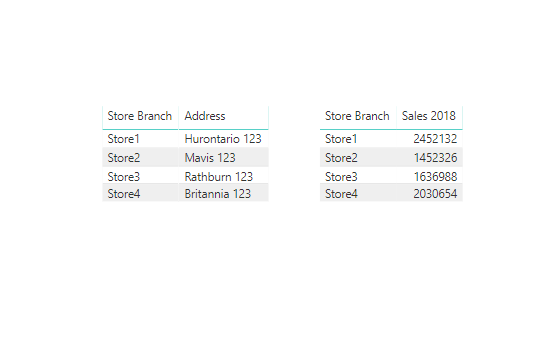
I have two differents visualizations. In one of them (table) I have this column
STORES
Store1
Store2
Store3
Store4
In the other visualization (bar chart) i have the sales from last year for these 4 stores
I want the bar chart to display all the other stores but the selected one on the first visualization.
Example: Is I select "Store2" in the first table, I would be able to see information in the bar chart only for Store1, Store3 and Store4.
Is it possible?
Thank you!
Solved! Go to Solution.
You may create a slicer table and use it as slicer.Then create a measure like below.Attached the sample file for reference.
Sales 2018 =
CALCULATE (
SUM ( Table1[Sales] ),
FILTER (
Table1,
Table1[Year] = 2018
&& Table1[Store Branch] <> SELECTEDVALUE ( 'Table'[Store Branch] )
)
)
Regards,
Cherie
You may create a slicer table and use it as slicer.Then create a measure like below.Attached the sample file for reference.
Sales 2018 =
CALCULATE (
SUM ( Table1[Sales] ),
FILTER (
Table1,
Table1[Year] = 2018
&& Table1[Store Branch] <> SELECTEDVALUE ( 'Table'[Store Branch] )
)
)
Regards,
Cherie
Hello @javiernavarro,
this is possible, can you post a sample of your dataset?
Thank you.
Did I answer your question correctly? Mark my answer as a solution!
Proud to be a Datanaut!
Thanks Livio
I want the bar chart to highlight the other rows, not the selected one.
Thanks again
| User | Count |
|---|---|
| 54 | |
| 37 | |
| 26 | |
| 16 | |
| 16 |
| User | Count |
|---|---|
| 68 | |
| 57 | |
| 38 | |
| 21 | |
| 21 |