cancel
Showing results for 
Search instead for 
Did you mean: 

The Power BI Data Visualization World Championships is back! Get ahead of the game and start preparing now! Learn more

Reply
karun_r
Microsoft Employee
Microsoft Employee

Filter based on date in R script

I have a dataframe which holds a column with date values. The datatype for this column is date in Power BI. When I try to modify this dataset in R script and put a filter on the date column, I am getting the below error which looks like it is being returned from ADO.NET. I am able to do the conversion just fine in native R. Any idea what is going wrong here? I tried to convert this column into datetime and use as.Date(<columnName>) > Sys.Date()-1 as well. But nothing seems to work,


Here is the line of code which is throwing this error:


subData <- subset(dataset, as.Date(ProcuredOn) > Sys.Date()-1)
1 ACCEPTED SOLUTION

I managed to get that filter working by reloading the dataset and configuring the intermediate steps again from scratch. Strange though. The error message that I got earlier said something like "Invalid data conversion". I guess it was something related to some other column which got it's type changed in between the steps. 

View solution in original post

3 REPLIES 3
v-ljerr-msft
Microsoft Employee
Microsoft Employee

Hi @karun_r,


@karun_r wrote:

I have a dataframe which holds a column with date values. The datatype for this column is date in Power BI. When I try to modify this dataset in R script and put a filter on the date column, I am getting the below error which looks like it is being returned from ADO.NET.


What's the error message? I haven't found it in your post above. Smiley Happy


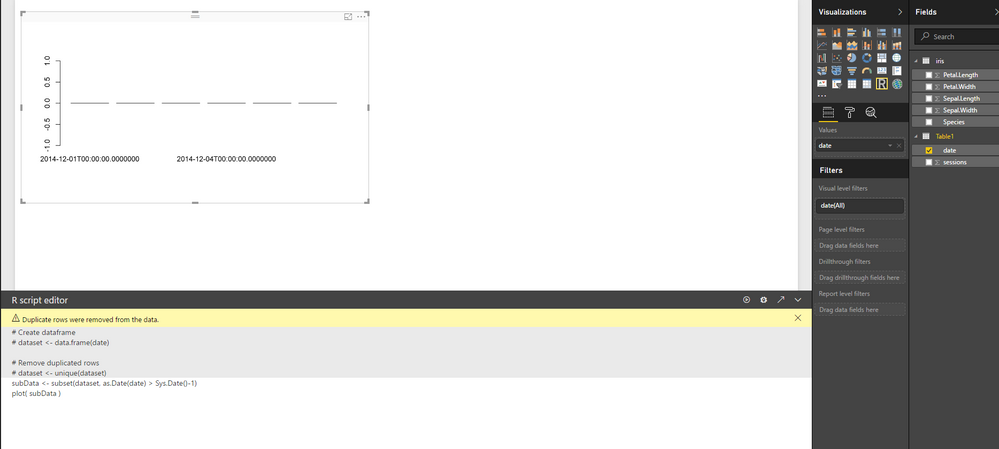
I have tested the R script shared above on my Power BI Desktop(Version: 2.50.4859.502 64-bit (September 2017)). It seems to work for me without any issue.


r3.PNG


Could you share a sample pbix with just some sample/mock data which can reproduce the issue.? So that we can help further investigate on it. You can upload it to OneDrive or Dropbox and post the link here. Do mask sensitive data before uploading. Smiley Happy


Regards

I managed to get that filter working by reloading the dataset and configuring the intermediate steps again from scratch. Strange though. The error message that I got earlier said something like "Invalid data conversion". I guess it was something related to some other column which got it's type changed in between the steps. 

Hi @karun_r,


Great to hear the problem got resolved! Could you accept your last reply above as solution to close this thread? Smiley Happy


Regards

Helpful resources

Announcements
Power BI DataViz World Championships

Power BI Dataviz World Championships

The Power BI Data Visualization World Championships is back! Get ahead of the game and start preparing now!

December 2025 Power BI Update Carousel

Power BI Monthly Update - December 2025

Check out the December 2025 Power BI Holiday Recap!

FabCon Atlanta 2026 carousel

FabCon Atlanta 2026

Join us at FabCon Atlanta, March 16-20, for the ultimate Fabric, Power BI, AI and SQL community-led event. Save $200 with code FABCOMM.