Don't miss your chance to take the Fabric Data Engineer (DP-600) exam for FREE! Find out how by watching the DP-600 session on-demand now through April 28th.
Learn moreJoin the FabCon + SQLCon recap series. Up next: Power BI, Real-Time Intelligence, IQ and AI, and Data Factory take center stage. All sessions are available on-demand after the live show. Register now
Hello all,
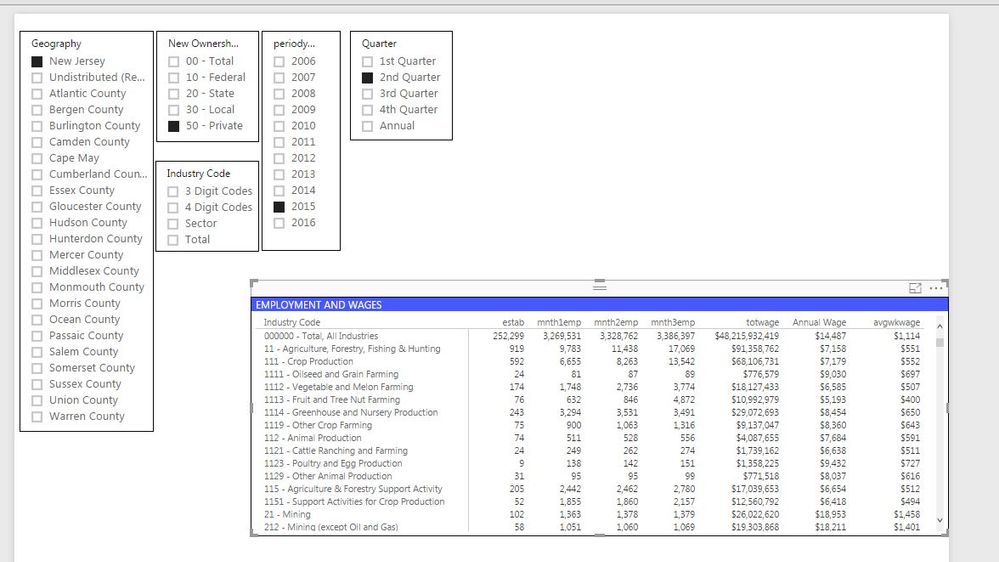
I have a question regarding column name changes. I am trying to build a report that will give quarterly data and would like the month names in the matrix column headers to change accordingly.
For example:
when Q1 then mnth1=Jan, mnth2 = Feb, mnth3 = March
when Q3 then mnth1= Jul, mnth2 = Aug, mnth3 = Sep
Has anyone ran into this before or have an idea on how to do it?
Thank you for the help in advance!
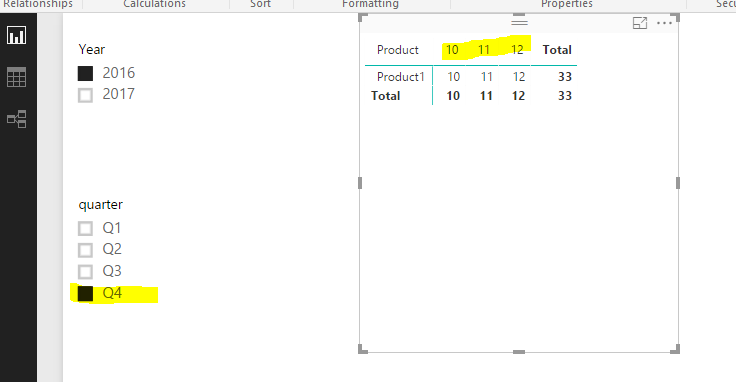
There's no such dynamic column name in Power BI, AFAIK. However you could play matrix visual with some tricky. See mode details in the attached pbix.
Hello @Eric_Zhang,
Sorry for the late response (needed admin's permission), but it didn't work for me. Your example seems to do what I wanted, so it may be due to the way my data is set up and I may just need to change a couple things. Thank you for your help!
Check out the April 2026 Power BI update to learn about new features.
If you have recently started exploring Fabric, we'd love to hear how it's going. Your feedback can help with product improvements.
A new Power BI DataViz World Championship is coming this June! Don't miss out on submitting your entry.
| User | Count |
|---|---|
| 41 | |
| 37 | |
| 34 | |
| 21 | |
| 16 |
| User | Count |
|---|---|
| 65 | |
| 59 | |
| 31 | |
| 25 | |
| 25 |