This time we’re going bigger than ever. Fabric, Power BI, SQL, AI and more. We're covering it all. You won't want to miss it.
Learn moreDid you hear? There's a new SQL AI Developer certification (DP-800). Start preparing now and be one of the first to get certified. Register now
Hello,
I have a recurrent display / bug (after some W10 updates) on the Desktop version,
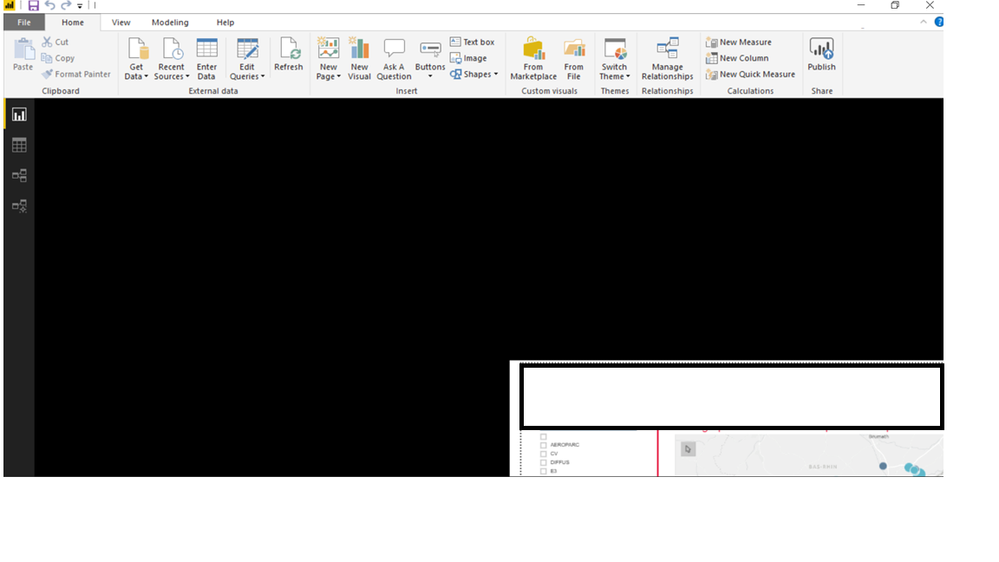
Report and diplayed screen is like below (I've hide some personnal and corporate information not useful) - and I can't do nothing ;
Please tell me what I should do to fix it (Power BI has been uninstalled last week ; it worked then the same problem occured)
Thanks a lot !
Pierre
Solved! Go to Solution.
Check if the following post helps.
http://community.powerbi.com/t5/Desktop/Power-BI-Desktop-canvas-resolution-issue/m-p/372440#M168949
Hello, sorry to "auto answer" my own question but :
we have some people really stuck with this bug ; we tried to uninstall/reinstall but its there again,
In fact "work zone" / the report zone is reduced on the bottom right corner and we can't do nothing,
Tell me if I have post this in the wrong place,
A link to the solution would be great ; I've found this :
https://community.powerbi.com/t5/Desktop/Desktop-view-is-always-starting-in-the-corner/td-p/462425
'll try it soon,
Thanks a lot,
Pierre
Check if the following post helps.
http://community.powerbi.com/t5/Desktop/Power-BI-Desktop-canvas-resolution-issue/m-p/372440#M168949
Thanks a lot !
Pierre
Check out the April 2026 Power BI update to learn about new features.
Sign up to receive a private message when registration opens and key events begin.
If you have recently started exploring Fabric, we'd love to hear how it's going. Your feedback can help with product improvements.
| User | Count |
|---|---|
| 34 | |
| 31 | |
| 25 | |
| 20 | |
| 16 |
| User | Count |
|---|---|
| 60 | |
| 48 | |
| 29 | |
| 23 | |
| 23 |