cancel
Showing results for 
Search instead for 
Did you mean: 

Learn from the best! Meet the four finalists headed to the FINALS of the Power BI Dataviz World Championships! Register now

Reply
ajinkya1907
Helper II
Helper II

Display Dynamic Image


Dear Friends,


I am using IPL Crikcet Data set which can be found on

https://www.kaggle.com/manasgarg/ipl/data


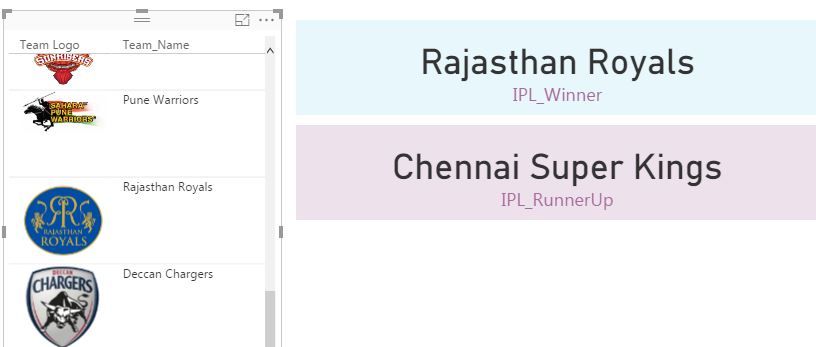
I have created calculaed Measure to get the winner Team & would like to display logo of winner team. I have created separate table with Team Name & Team URL Mapping. Kindly help me on How to match team name with winner team & display the image. Thanks.


Image Mapping.JPG

1 ACCEPTED SOLUTION

I used below function where team Logo is the URL field & team name is indicates


Winner Filter = CALCULATE(count(Logo[Team Logo]),FILTER(Logo,logo[Team_Name]=[IPL_Winner]))


temp.png


View solution in original post

3 REPLIES 3
Anonymous
Not applicable

Hi @ajinkya1907,


I think you can take a look at below link who mentioned about similar requirement.

Dynamic Image Display


Regards,
Xiaoxin Sheng

Thanks for your help @Anonymous

I used below function where team Logo is the URL field & team name is indicates


Winner Filter = CALCULATE(count(Logo[Team Logo]),FILTER(Logo,logo[Team_Name]=[IPL_Winner]))


temp.png


Helpful resources

Announcements
Join our Fabric User Panel

Join our Fabric User Panel

Share feedback directly with Fabric product managers, participate in targeted research studies and influence the Fabric roadmap.

February Power BI Update Carousel

Power BI Monthly Update - February 2026

Check out the February 2026 Power BI update to learn about new features.

FabCon Atlanta 2026 carousel

FabCon Atlanta 2026

Join us at FabCon Atlanta, March 16-20, for the ultimate Fabric, Power BI, AI and SQL community-led event. Save $200 with code FABCOMM.