cancel
Showing results for 
Search instead for 
Did you mean: 

July 7 - July 17 | Round 2 of the Power BI Dataviz World Championships. Don't miss your chance! Learn more

Reply
ajinkya1907
Helper II
Helper II

Display Dynamic Image


Dear Friends,


I am using IPL Crikcet Data set which can be found on

https://www.kaggle.com/manasgarg/ipl/data


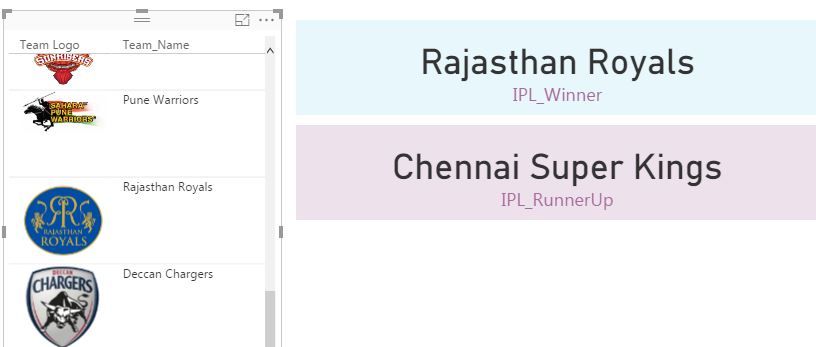
I have created calculaed Measure to get the winner Team & would like to display logo of winner team. I have created separate table with Team Name & Team URL Mapping. Kindly help me on How to match team name with winner team & display the image. Thanks.


Image Mapping.JPG

1 ACCEPTED SOLUTION

I used below function where team Logo is the URL field & team name is indicates


Winner Filter = CALCULATE(count(Logo[Team Logo]),FILTER(Logo,logo[Team_Name]=[IPL_Winner]))


temp.png


View solution in original post

3 REPLIES 3
Anonymous
Not applicable

Hi @ajinkya1907,


I think you can take a look at below link who mentioned about similar requirement.

Dynamic Image Display


Regards,
Xiaoxin Sheng

Thanks for your help @Anonymous

I used below function where team Logo is the URL field & team name is indicates


Winner Filter = CALCULATE(count(Logo[Team Logo]),FILTER(Logo,logo[Team_Name]=[IPL_Winner]))


temp.png


Helpful resources

Announcements
FabCon and SQLCon Barcelona 2026

FabCon & SQLCon – Barcelona 2026

Join us in Barcelona for FabCon and SQLCon, the Fabric, Power BI, SQL, and AI community event. Save €200 with code FABCMTY200.

60 days of Data Days Carousel

Data Days 2026

Join Fabric Data Days 2026: 60 days of free live/on-demand sessions, challenges, study groups, and certification opportunities.

Power BI DataViz World Championships carousel

Power BI DataViz World Championships - June 2026

A new Power BI DataViz World Championship is coming this June! Don't miss out on submitting your entry.