Join us at FabCon Atlanta from March 16 - 20, 2026, for the ultimate Fabric, Power BI, AI and SQL community-led event. Save $200 with code FABCOMM.
Register now!Learn from the best! Meet the four finalists headed to the FINALS of the Power BI Dataviz World Championships! Register now
Dear Friends,
I am using IPL Crikcet Data set which can be found on
https://www.kaggle.com/manasgarg/ipl/data
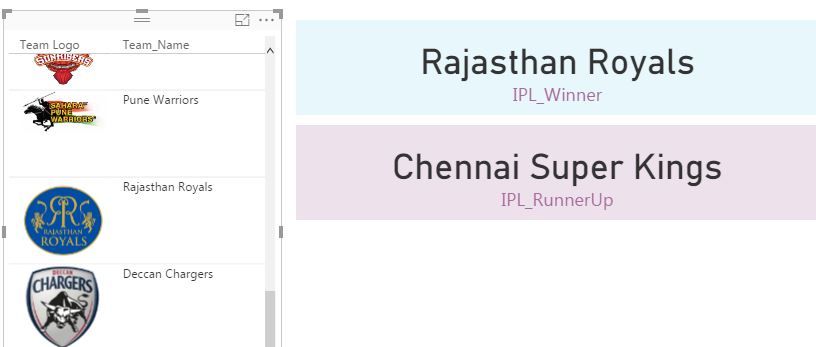
I have created calculaed Measure to get the winner Team & would like to display logo of winner team. I have created separate table with Team Name & Team URL Mapping. Kindly help me on How to match team name with winner team & display the image. Thanks.
Solved! Go to Solution.
I used below function where team Logo is the URL field & team name is indicates
Winner Filter = CALCULATE(count(Logo[Team Logo]),FILTER(Logo,logo[Team_Name]=[IPL_Winner]))
Hi @ajinkya1907,
I think you can take a look at below link who mentioned about similar requirement.
Regards,
Xiaoxin Sheng
Thanks for your help @Anonymous
I used below function where team Logo is the URL field & team name is indicates
Winner Filter = CALCULATE(count(Logo[Team Logo]),FILTER(Logo,logo[Team_Name]=[IPL_Winner]))
Share feedback directly with Fabric product managers, participate in targeted research studies and influence the Fabric roadmap.
Check out the February 2026 Power BI update to learn about new features.
| User | Count |
|---|---|
| 61 | |
| 59 | |
| 42 | |
| 18 | |
| 15 |
| User | Count |
|---|---|
| 109 | |
| 101 | |
| 39 | |
| 29 | |
| 29 |