Join us at FabCon Atlanta from March 16 - 20, 2026, for the ultimate Fabric, Power BI, AI and SQL community-led event. Save $200 with code FABCOMM.
Register now!The Power BI Data Visualization World Championships is back! Get ahead of the game and start preparing now! Learn more
I think I need to do exactly this solution from this question, but honestly I just need it explained a bit more.
More detail:
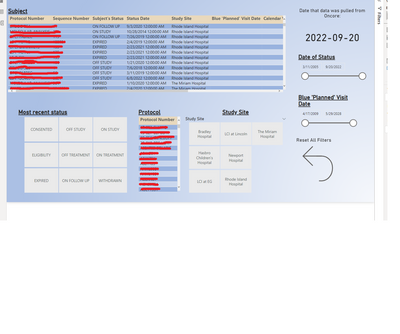
I have these slicers on one tab of my Power bi:
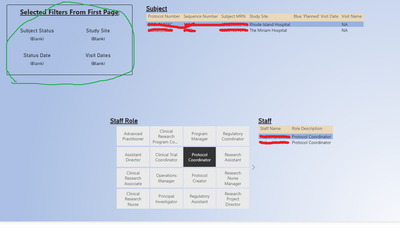
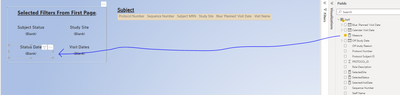
And on the second tab of my report, whatever you selected in those slicers will show up in cards:
The top two slicers show up great (Subject Status and Study Site). The way I created those was I created measures that were like:
Solved! Go to Solution.
@JoeCrozier Oh, for that I would just use this:
Measure =
VAR __MaxStatus = MAX('Staff'[Status Date])
VAR __MinStatus = MIN('Staff'[Status Date])
RETURN
__MinStatus & " - " & __MaxStatus
@JoeCrozier So let's say you have a single table, you could do this:
Measure =
VAR __MaxStatus = MAX('Table'[Status Date])
VAR __MinStatus = MIN('Table'[Status Date])
VAR __MaxBlue = MAX('Table'[Blue 'Planned' Visit Date])
VAR __MinBlue = MIN('Table'[Blue 'Planned' Visit Date])
VAR __Table =
FILTER(
'Table',
( [Status Date] >= __MinStatus && [Status Date] <= __MaxStatus ) &&
( [Blue 'Planned' Visit Date] >= __MinBlue && [Blue 'Planned' Visit Date] <= __MaxBlue )
)
RETURN
SUMX(__Table,[Value])
Use that in your Card visual. That said, if it is really a single table then it should already filter the cards and you could simply do this:
Measure = SUM('Table'[Value])
or
Measure = SUMX('Table',[Value])
The last Measure has the advantage that you could do a CONCATENATEX for example if you want to return multiple values (because multiple rows are in context).
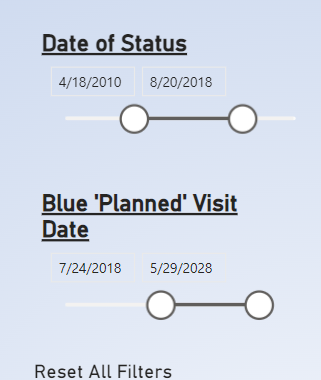
@Greg_Deckler Thank you! So just to make sure I understand, lets say I have this selected in the slicer on the first page:
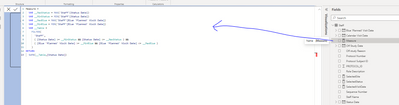
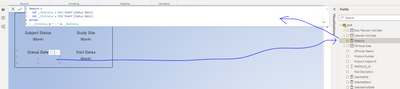
And I create a measure that looks like this:
And I put that measure on this card:
I would expect/hope for that card to say:
"4/18/2010 - 8/20/2018"
But it doesn't. Clearly I'm doing something wrong or didn't communicate it well. Can you spot what I did?
@JoeCrozier Oh, for that I would just use this:
Measure =
VAR __MaxStatus = MAX('Staff'[Status Date])
VAR __MinStatus = MIN('Staff'[Status Date])
RETURN
__MinStatus & " - " & __MaxStatus
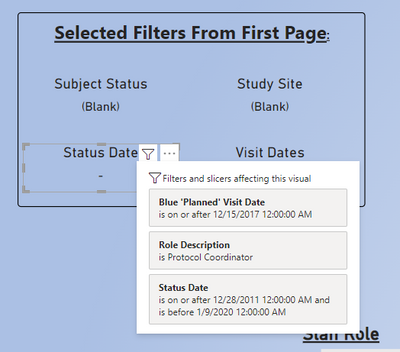
Im sorry to keep drawing you back in (and I really really appreciate all the help!) but it still seems to not be working:
Any ideas?
The Power BI Data Visualization World Championships is back! Get ahead of the game and start preparing now!
Check out the November 2025 Power BI update to learn about new features.
| User | Count |
|---|---|
| 59 | |
| 43 | |
| 42 | |
| 23 | |
| 17 |
| User | Count |
|---|---|
| 190 | |
| 122 | |
| 96 | |
| 66 | |
| 47 |