This time we’re going bigger than ever. Fabric, Power BI, SQL, AI and more. We're covering it all. You won't want to miss it.
Learn moreLevel up your Power BI skills this month - build one visual each week and tell better stories with data! Get started
how to create Custom column based on same column values using between operator ??
example:i have a column with values range from 0 to 10..i wanted to create custom column based on the condition.(ie).0-5 as custom column and 5 -10 as other custom column..
Solved! Go to Solution.
If I understand this right you may be overthinking this.
Just a simple if statement would do.
You may have to change this a bit but here it is depending on where you want the 5 included
Custom Column = IF ( Table[Column] < 6, "0-5", "6-10" )
Good Luck! ![]()
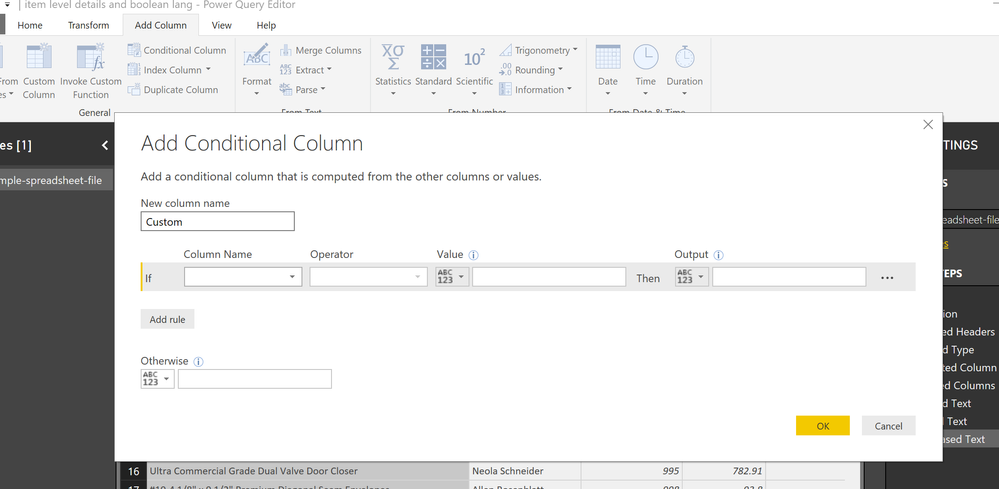
I would do a conditional column in query editor based on the logic above. If less than or equal to 6 then... etc.
Yes that works too! In fact that’s what I would do too! ![]()
If I understand this right you may be overthinking this.
Just a simple if statement would do.
You may have to change this a bit but here it is depending on where you want the 5 included
Custom Column = IF ( Table[Column] < 6, "0-5", "6-10" )
Good Luck! ![]()
Sign up to receive a private message when registration opens and key events begin.
If you have recently started exploring Fabric, we'd love to hear how it's going. Your feedback can help with product improvements.
| User | Count |
|---|---|
| 31 | |
| 23 | |
| 22 | |
| 20 | |
| 15 |
| User | Count |
|---|---|
| 64 | |
| 41 | |
| 27 | |
| 22 | |
| 20 |