Get certified for free when you join Fabric Data Days 2026 and dive into Fabric, Power BI, SQL, AI, and other essential data skills.
Join nowJuly 28 - August 9 | Final Round of the Power BI Dataviz World Championships. This is your chance. Learn more
how to create Custom column based on same column values using between operator ??
example:i have a column with values range from 0 to 10..i wanted to create custom column based on the condition.(ie).0-5 as custom column and 5 -10 as other custom column..
Solved! Go to Solution.
If I understand this right you may be overthinking this.
Just a simple if statement would do.
You may have to change this a bit but here it is depending on where you want the 5 included
Custom Column = IF ( Table[Column] < 6, "0-5", "6-10" )
Good Luck! ![]()
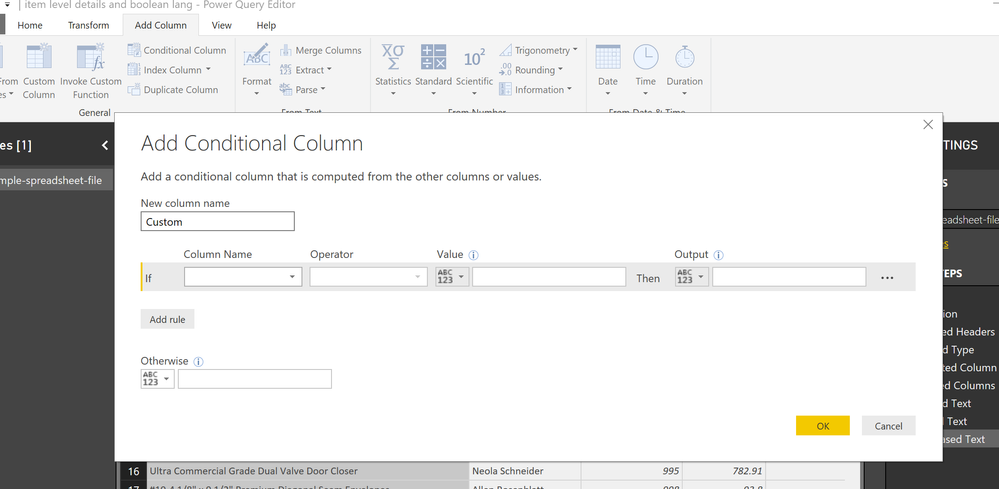
I would do a conditional column in query editor based on the logic above. If less than or equal to 6 then... etc.
Yes that works too! In fact that’s what I would do too! ![]()
If I understand this right you may be overthinking this.
Just a simple if statement would do.
You may have to change this a bit but here it is depending on where you want the 5 included
Custom Column = IF ( Table[Column] < 6, "0-5", "6-10" )
Good Luck! ![]()
If you love stickers, then you will definitely want to check out our community sticker challenge, Barcelona edition!
Check out the July 2026 Power BI update to learn about new features.
| User | Count |
|---|---|
| 30 | |
| 28 | |
| 23 | |
| 21 | |
| 19 |
| User | Count |
|---|---|
| 40 | |
| 31 | |
| 18 | |
| 18 | |
| 15 |