Join us at FabCon Atlanta from March 16 - 20, 2026, for the ultimate Fabric, Power BI, AI and SQL community-led event. Save $200 with code FABCOMM.
Register now!Learn from the best! Meet the four finalists headed to the FINALS of the Power BI Dataviz World Championships! Register now
how to create Custom column based on same column values using between operator ??
example:i have a column with values range from 0 to 10..i wanted to create custom column based on the condition.(ie).0-5 as custom column and 5 -10 as other custom column..
Solved! Go to Solution.
If I understand this right you may be overthinking this.
Just a simple if statement would do.
You may have to change this a bit but here it is depending on where you want the 5 included
Custom Column = IF ( Table[Column] < 6, "0-5", "6-10" )
Good Luck! ![]()
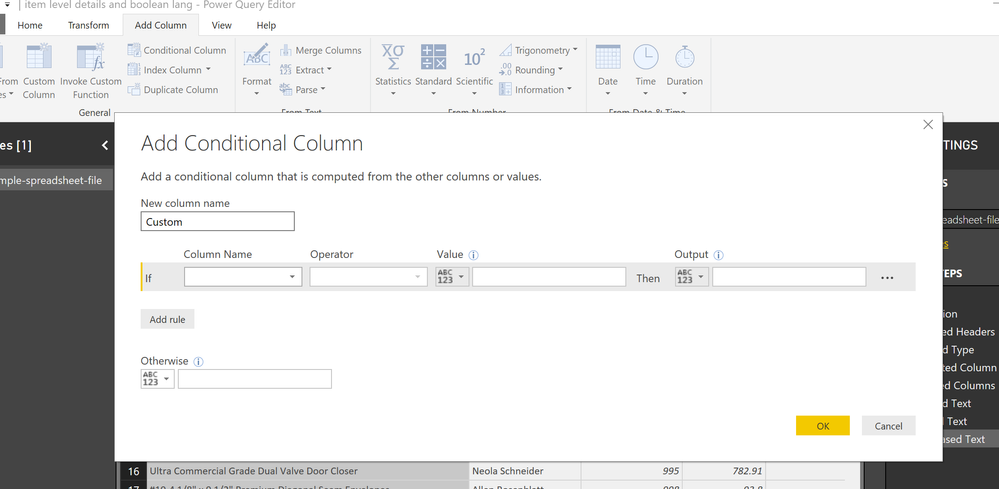
I would do a conditional column in query editor based on the logic above. If less than or equal to 6 then... etc.
Yes that works too! In fact that’s what I would do too! ![]()
If I understand this right you may be overthinking this.
Just a simple if statement would do.
You may have to change this a bit but here it is depending on where you want the 5 included
Custom Column = IF ( Table[Column] < 6, "0-5", "6-10" )
Good Luck! ![]()
Share feedback directly with Fabric product managers, participate in targeted research studies and influence the Fabric roadmap.
Check out the February 2026 Power BI update to learn about new features.
| User | Count |
|---|---|
| 61 | |
| 60 | |
| 45 | |
| 18 | |
| 15 |
| User | Count |
|---|---|
| 110 | |
| 103 | |
| 40 | |
| 29 | |
| 29 |