Get certified for free when you join Fabric Data Days 2026 and dive into Fabric, Power BI, SQL, AI, and other essential data skills.
Join nowJuly 28 - August 9 | Final Round of the Power BI Dataviz World Championships. This is your chance. Learn more
Hello,
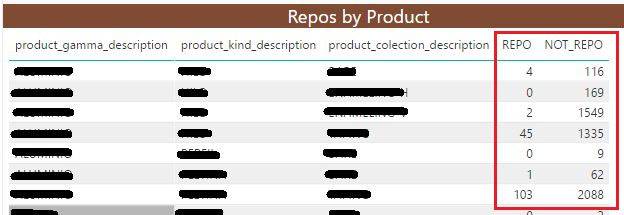
On power bi desktop I have two colums whose vaule I take from a count(id):
I need to add another custom column with the next value: [REPO/(REPO+NOT_REPO)] * 100.
I can not add a new column on the table because the shoed values are the result of another operation and I don't have them on the table.
How can I add the custom column and work with the values displayed on the table?
Thanks!
Solved! Go to Solution.
Dear all,
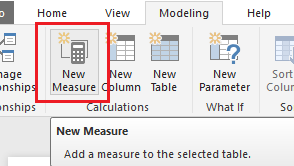
Finally I could solve the problem, in stead of create a custom column I used a measure:
Thank you everybody for your help and support
Hi @aleon,
From the data model it self we can create custom column
Edit Queris -->Under Add Column tab you have Custom Column from there you can write power query to get your result.
If you get REPO and NOT_REPO as measures then you can directly crete another measure
First could you please explain how did you get REPO AND NOT_REPO so that i can givev you exact solutionn
Dear all,
Finally I could solve the problem, in stead of create a custom column I used a measure:
Thank you everybody for your help and support
If you love stickers, then you will definitely want to check out our community sticker challenge, Barcelona edition!
Check out the July 2026 Power BI update to learn about new features.
| User | Count |
|---|---|
| 29 | |
| 28 | |
| 20 | |
| 20 | |
| 19 |
| User | Count |
|---|---|
| 35 | |
| 28 | |
| 21 | |
| 19 | |
| 17 |