This is best Fabric, Power BI, SQL and AI community event. How do we know? The last event sold out! Save €200 with code FABCMTY200.
Register nowA new Data Days event is coming soon! This time we’re going bigger than ever. Fabric, Power BI, SQL, AI and more. Don't miss out.
Hello,
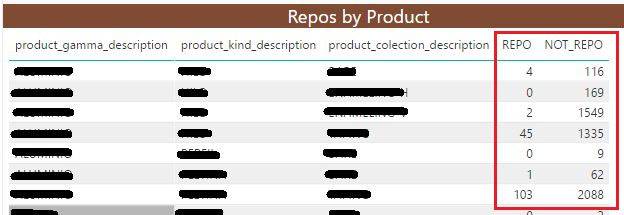
On power bi desktop I have two colums whose vaule I take from a count(id):
I need to add another custom column with the next value: [REPO/(REPO+NOT_REPO)] * 100.
I can not add a new column on the table because the shoed values are the result of another operation and I don't have them on the table.
How can I add the custom column and work with the values displayed on the table?
Thanks!
Solved! Go to Solution.
Dear all,
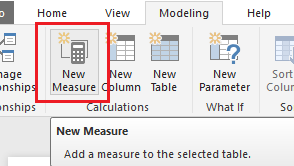
Finally I could solve the problem, in stead of create a custom column I used a measure:
Thank you everybody for your help and support
Hi @aleon,
From the data model it self we can create custom column
Edit Queris -->Under Add Column tab you have Custom Column from there you can write power query to get your result.
If you get REPO and NOT_REPO as measures then you can directly crete another measure
First could you please explain how did you get REPO AND NOT_REPO so that i can givev you exact solutionn
Dear all,
Finally I could solve the problem, in stead of create a custom column I used a measure:
Thank you everybody for your help and support
Check out the May 2026 Power BI update to learn about new features.
Sign up to receive a private message when registration opens and key events begin.
If you have recently started exploring Fabric, we'd love to hear how it's going. Your feedback can help with product improvements.
| User | Count |
|---|---|
| 29 | |
| 26 | |
| 25 | |
| 20 | |
| 14 |
| User | Count |
|---|---|
| 53 | |
| 47 | |
| 22 | |
| 19 | |
| 18 |