Hi @Anonymous ,
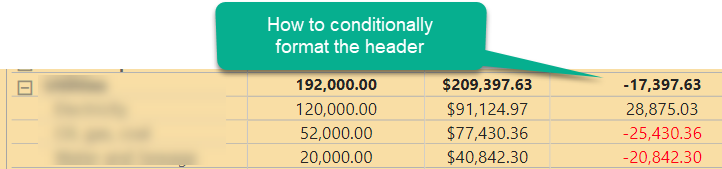
To clarify from your screenshot, you are not trying to format the header but rather the top line/total line for that level of the Matrix. To format that all you do is select the field from the values drop down in the visualizations pane and then select conditional formatting.
If you really are trying to format a Header, then the Matrix visual gives you a few options. You can select that field itself on the Fields list and change the way it looks, or you can select the Format option in the Visualizations for that visual and modify the "Column Headers" or the "Field Formatting" or the Conditional Formatting" for that field.
I would appreciate Kudos if my response was helpful. I would also appreciate it if you would Mark this As a Solution if it solved the problem. Thanks!
Did I answer your question? Mark my post as a solution! Proud to be a Datanaut!
Private message me for consulting or training needs.