This is best Fabric, Power BI, SQL and AI community event. How do we know? The last event sold out! Save €200 with code FABCMTY200.
Register nowJuly 28 - August 9 | Final Round of the Power BI Dataviz World Championships. This is your chance. Learn more
I have attached 2 screen shots 1st and 2nd is from SSRS, which shows our chargeability numbers for Period end date per region with graph grouping:
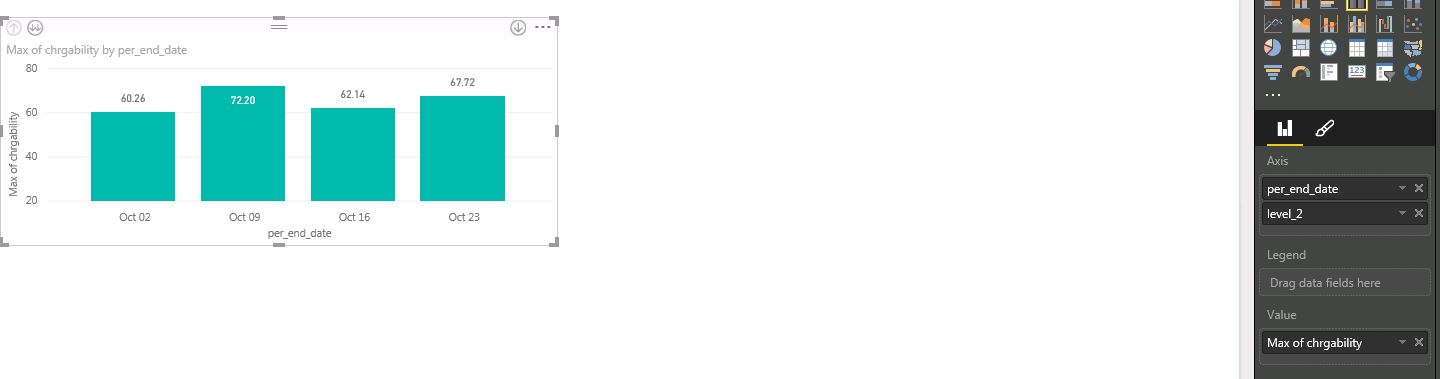
3nd screen shot is from Power BI and I am unable to get similar graph: It is giving me drill down at 2 Axis and not combining it in 1, can i get simliar result in Power BI?
Solved! Go to Solution.
Drag your level_2 field to Legend
Join us in Barcelona for FabCon and SQLCon, the Fabric, Power BI, SQL, and AI community event. Save €200 with code FABCMTY200.
| User | Count |
|---|---|
| 27 | |
| 22 | |
| 20 | |
| 18 | |
| 14 |
| User | Count |
|---|---|
| 25 | |
| 20 | |
| 20 | |
| 20 | |
| 20 |