Get certified for free when you join Fabric Data Days 2026 and dive into Fabric, Power BI, SQL, AI, and other essential data skills.
Join nowData Days is here! Join us now for 60+ days of learning, challenges, and connection. Learn more
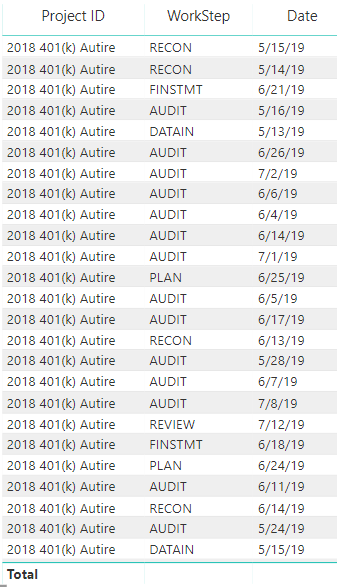
I am working with Power Bi and have a list of Project IDs...is there a way to get a count to show in the total line for this column of text? For instance...how would I get a count of the project IDs to show in the total line at the bottom...same for workstep? is this possible?
Solved! Go to Solution.
I don't think this can be done without adding in another column or using a card visual.
How would the rank option work?
Actually now that I test it out, the ranking option wouldn't make a difference. It'd be the same as a doing a count on your description.
So I created this Column index list for my table. and it numbers it correctly, however when it interacts with another visual, the column index keeps the original number, I made the number absolute values, so whenever the table changes it keeps the original index number and do not keep sequential numbers. ... Is there anyway to do that?
Interesting - What formula did you use to make the columnindex? I think I might have an idea on how to make it static.
I used the client name column because it will be consistent
Don't miss out on Data Days, June 15 through August 7. Learn Fabric, Power BI, SQL, AI and more.
Check out the May 2026 Power BI update to learn about new features.
| User | Count |
|---|---|
| 23 | |
| 23 | |
| 21 | |
| 17 | |
| 13 |
| User | Count |
|---|---|
| 58 | |
| 50 | |
| 37 | |
| 29 | |
| 24 |